


Channels and messaging
How to add Telegram
Creating a Telegram bot with BotFather and connecting it to MetoCRM with its API token.
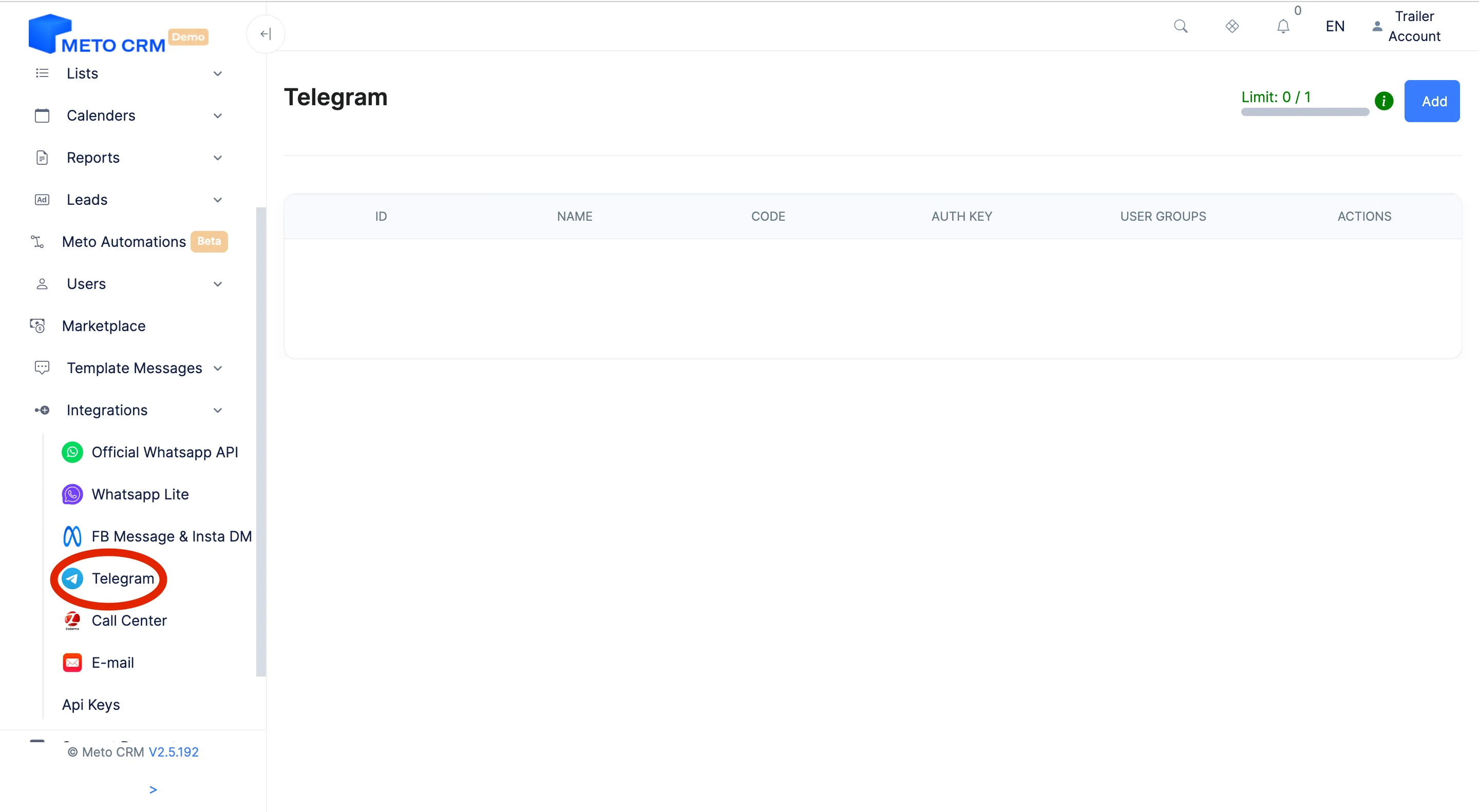
Where to find it
IntegrationTelegram
Telegram is a common channel among Russian- and Arabic-speaking patients. The connection to MetoCRM runs through a bot: you create a bot for the clinic and enter its API token in the panel.
The practical advantage of the bot approach is that the channel is not tied to a personal account — when staff change, the channel stays.
Before you start
- Create a bot through BotFather in Telegram and copy its API token.
- Give the bot the clinic's name and profile picture — that is the identity patients see first.
Step by step
- Creating a Telegram Bot Firstly, you need to create a bot on Telegram. To do this, use the official bot called BotFather on Telegram to create a new bot. BotFather will provide you with an API token. Get the API Token: Take note of the API token you receive for the bot you created. Go to Meto Integration: In your Meto account, go to Integration < Telegram section.
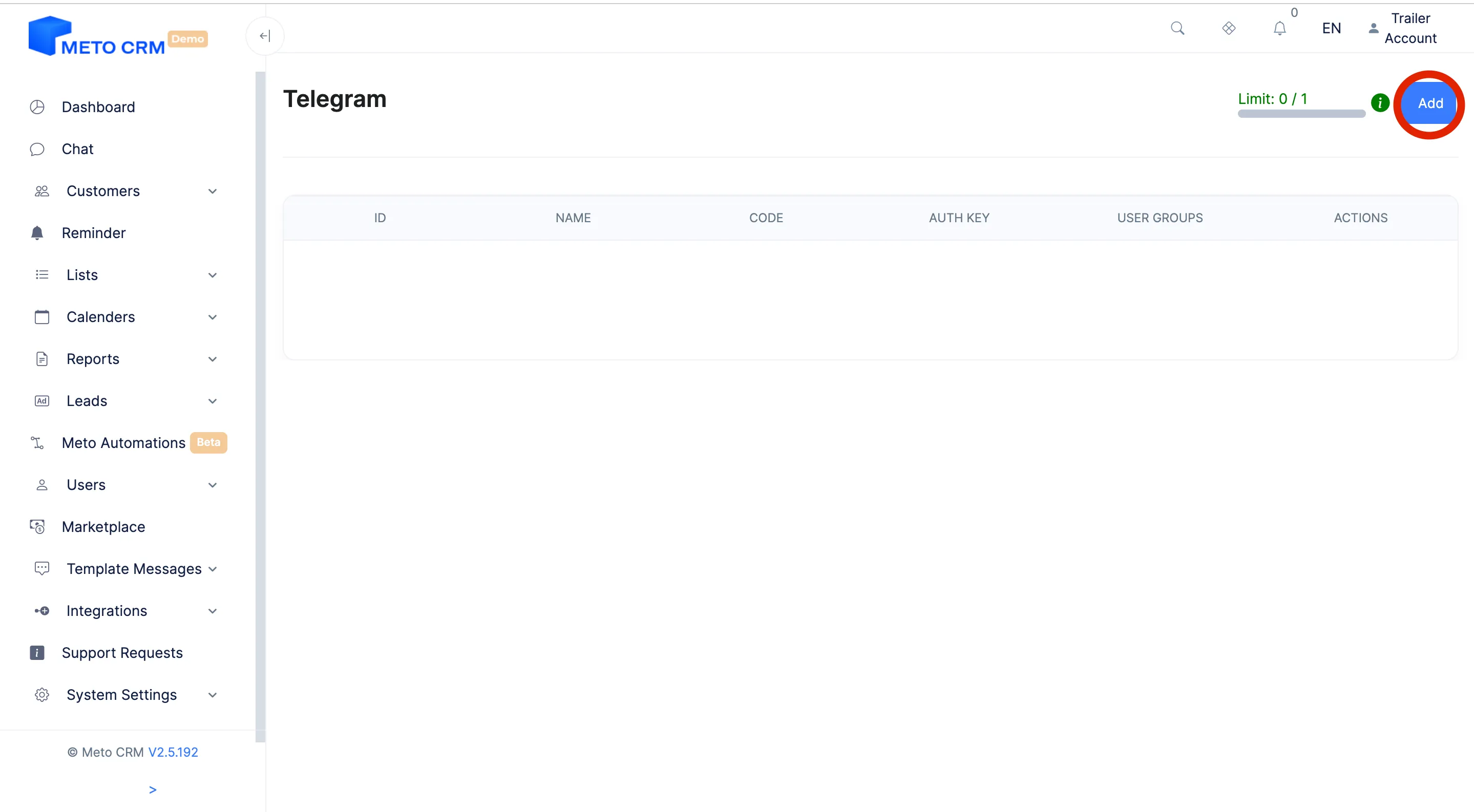
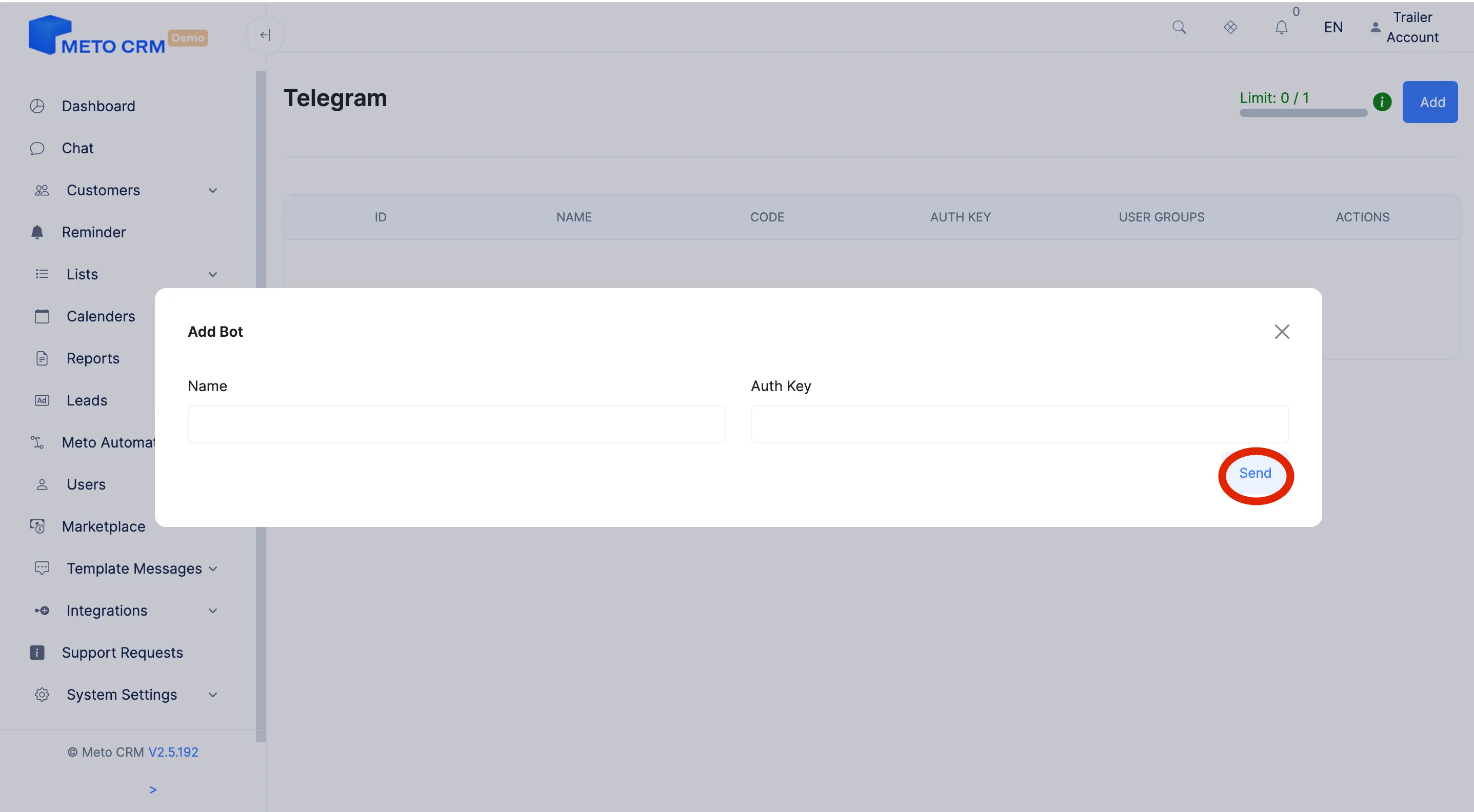
- Enter Telegram Information: Paste the API token into Meto's Telegram integration section.
- Confirm the Connection: Verify the entered information and connect your Telegram bot with Meto.
- !! After completing your actions, make sure to test the connection.
Tips and common mistakes
- Careful The API token is a password. Never share the value BotFather gives you; if it leaks, revoke and regenerate it in BotFather.
- Tip In Telegram the patient has to start the bot first. Point people from your ads and website straight at the bot link rather than leaving them to search.
Frequently asked questions
How do patients reach the bot?
Through its username: put the t.me/<bot_username> link on your website, in your ads and in your e-mail signature.
Can I connect my own Telegram number instead of a bot?
No, the integration works through the bot API — and connecting a personal account would breach Telegram's rules anyway.
I tested the connection and nothing arrives.
Make sure you copied the whole token with no leading or trailing space, then start the bot from your own account and send a message. Telegram delivers nothing until the bot has been started.