


Channels and messaging
How to connect an e-mail account
Connecting a mailbox to the MetoCRM inbox with SMTP and IMAP details, app passwords and group permissions.
Where to find it
IntegrationE-mail
E-mail is the channel that carries quotes and medical documents in medical tourism. Connect the mailbox to MetoCRM and the correspondence sits inside the patient record — nothing is lost when a consultant changes.
The connection uses standard SMTP (sending) and IMAP (receiving), so virtually any provider works.
Before you start
- Your provider's SMTP and IMAP server addresses, ports and encryption settings.
- With providers like Google Workspace and Microsoft 365 you must generate an app password, not use the account password.
- Decide which user groups will work on this mailbox.
Step by step
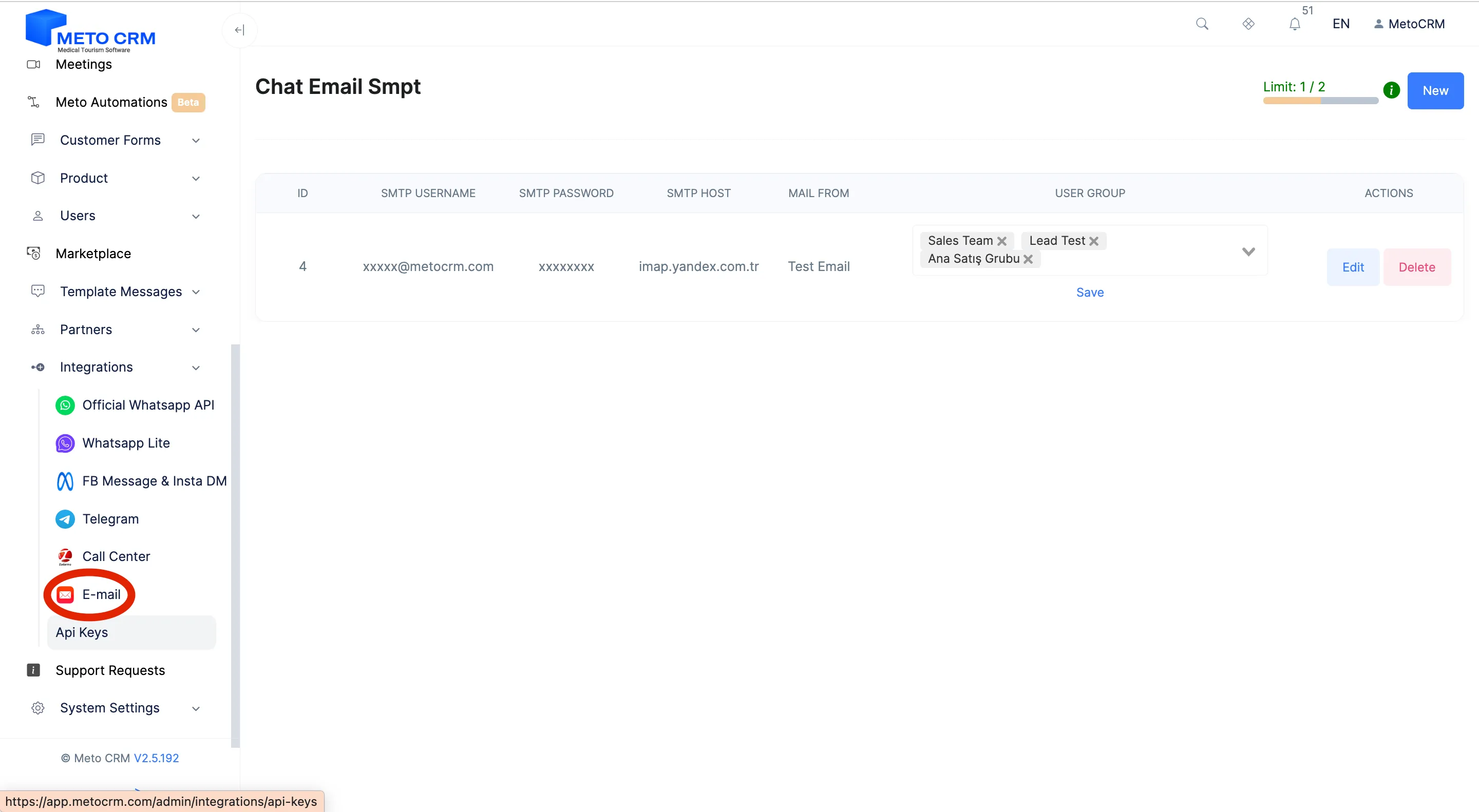
- Log in to your MetoCRM account. Click on the Integrations area in the left main menu. In the Integrations menu, go to Email.
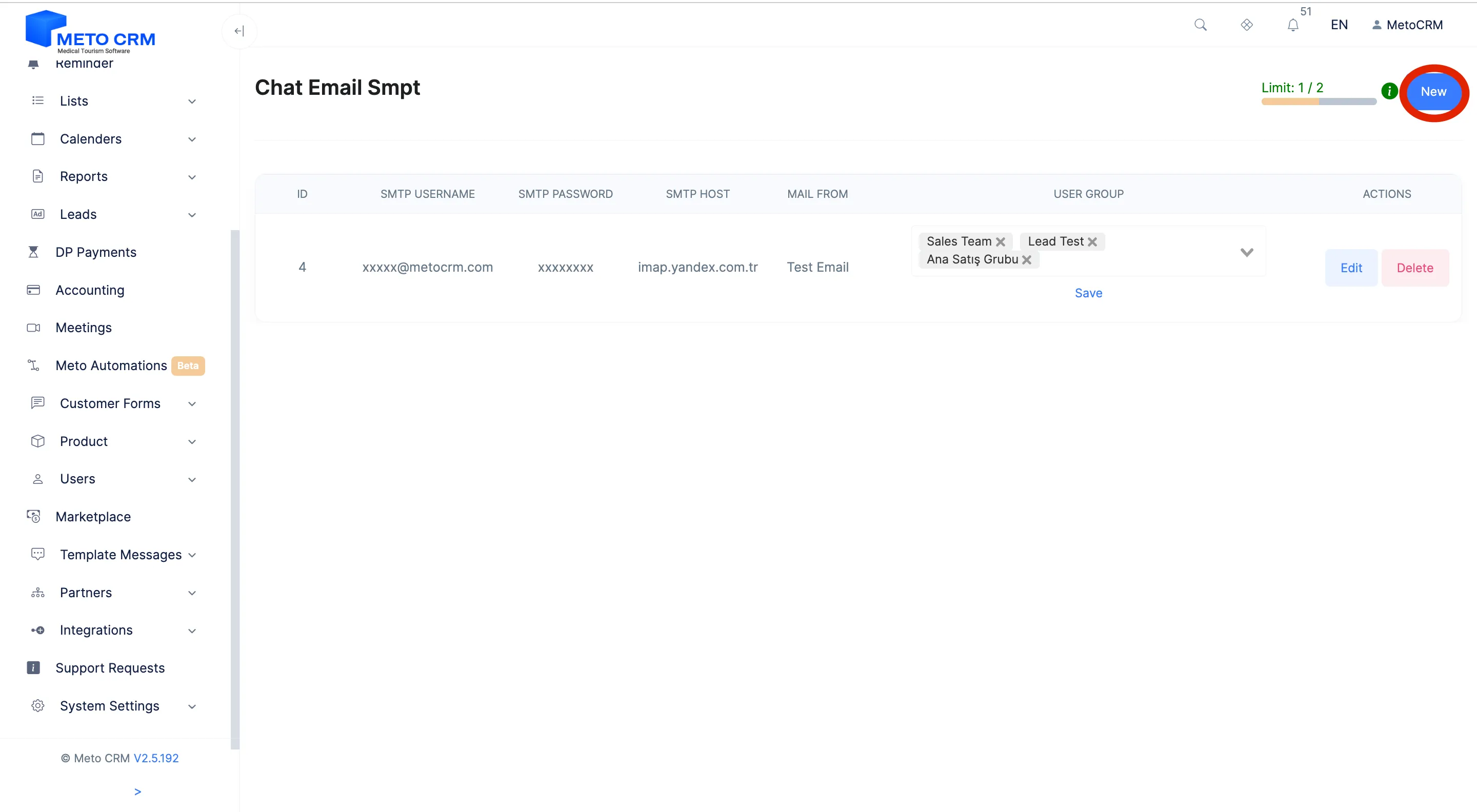
- Click the New button in the Chat E-mail SMTP section.
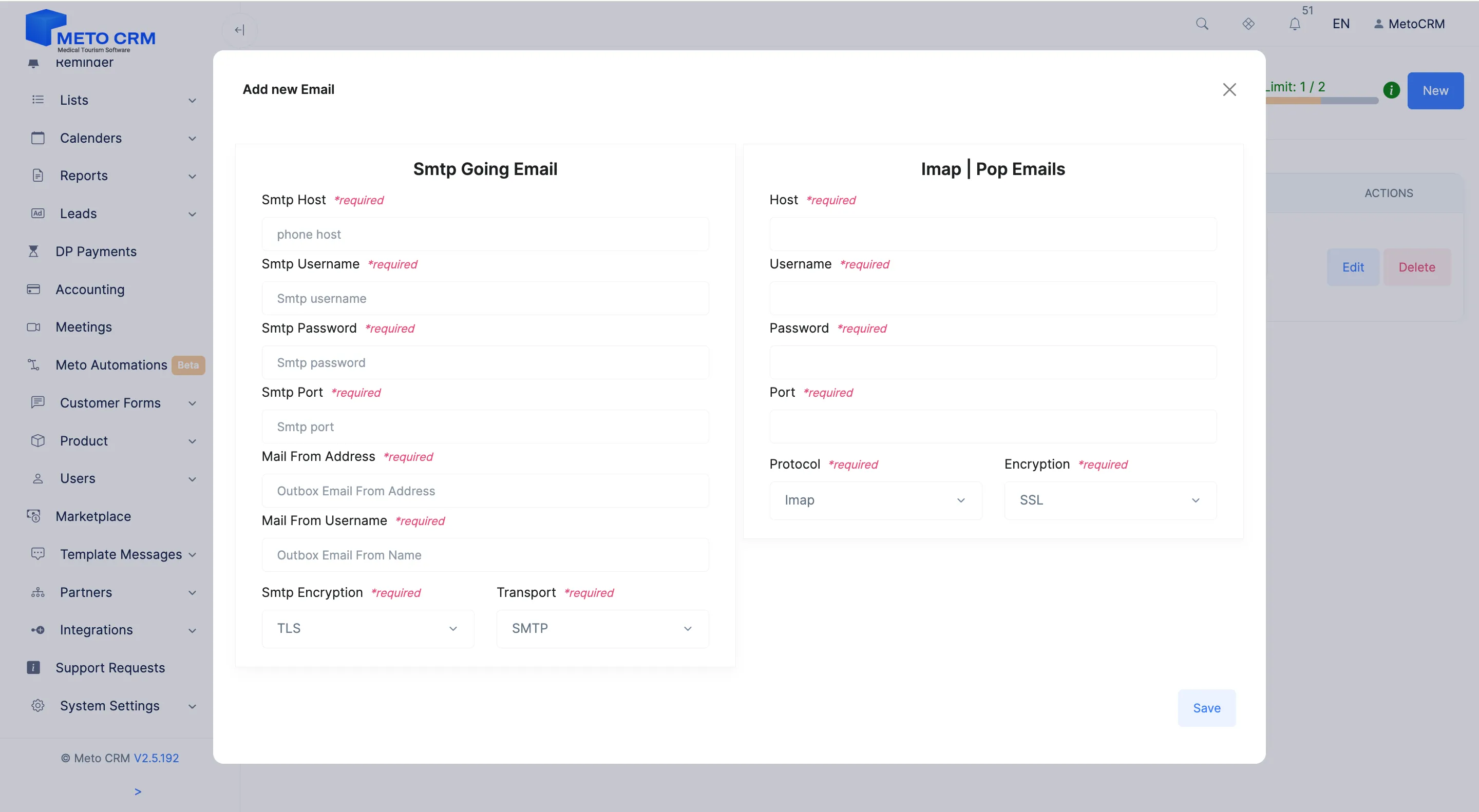
- On the screen that opens, enter the SMTP and IMAP information for the e-mail address you want to connect to the system.
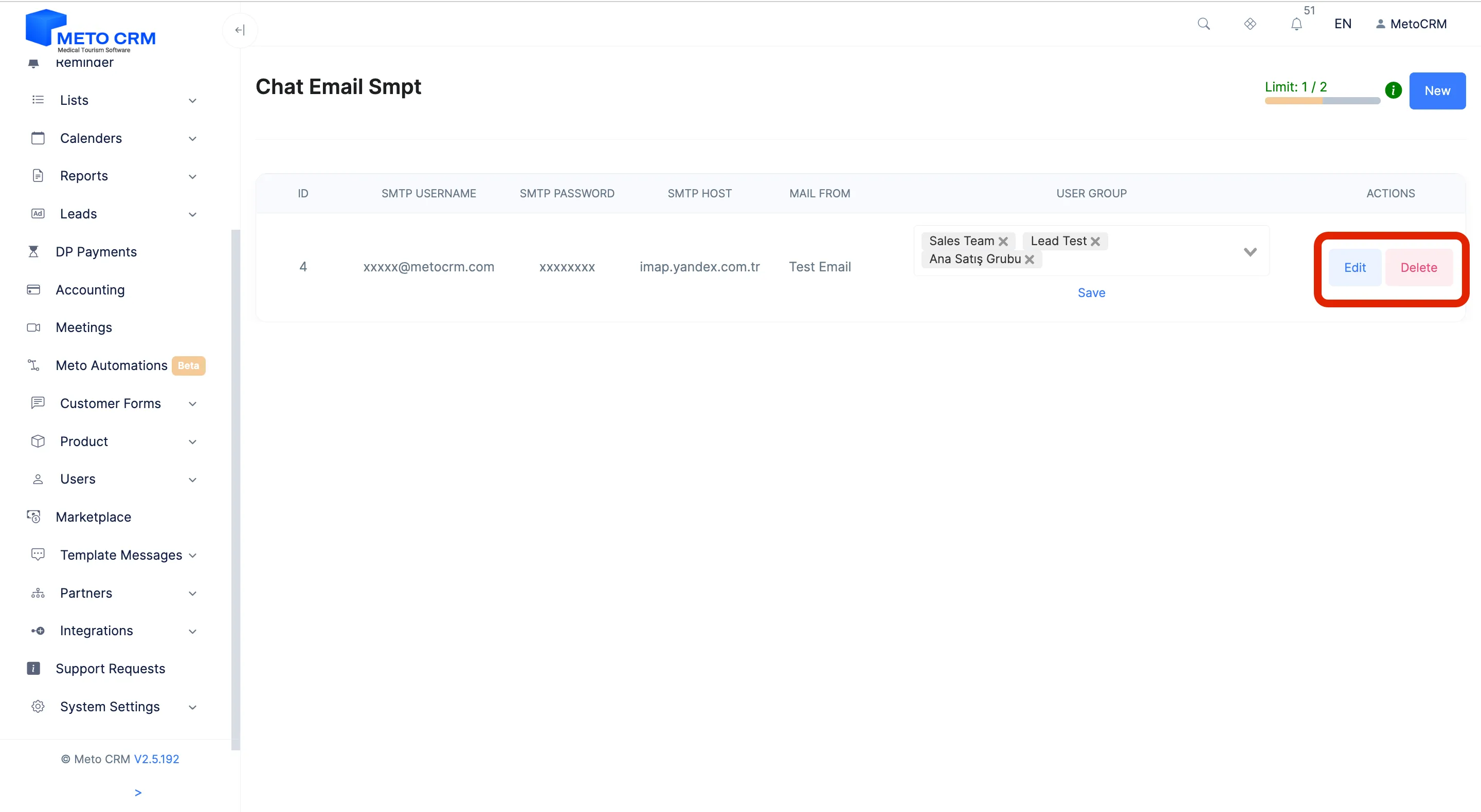
- And select the relevant user groups in this field. This way, emails from this email address will be accessible to the user groups you've specified. If you want to make edits to your e-mail account added to the system, click the Edit button. If you want to disconnect the account, press the Delete button
- Note: You need to enter the application password instead of your email account password in the "Password" fields. !! After completing the steps, don't forget to test the connection to make sure everything is working correctly.
Tips and common mistakes
- Careful Put the app password in the password field, not the account's sign-in password. On accounts with two-step verification the normal password is rejected and the connection silently fails.
- Tip To make a mailbox private to one person (a manager's own address, say), pick an owner and tick "hide from others". From then on only the owner and Admin/Moderator can see its correspondence.
- Careful Do not use "hide from others" on mailboxes the team needs to cover: when the owner goes on leave or their account is closed, only Admin/Moderator can reach the messages.
Frequently asked questions
I connected the mailbox but incoming mail does not appear.
Sending uses SMTP, receiving uses IMAP; if only SMTP is right, outbound works and inbound does not. Check the IMAP server, port and encryption setting separately.
Can several consultants share one mailbox?
Yes. Choose the user groups that may access it on the edit screen. If it has to stay private, use the "hide from others" setting.
Why is the phone number in a patient's e-mail shown with asterisks?
If data masking is on for your role, phone numbers and e-mail addresses in the subject line are masked too. The real e-mail that reaches the patient carries the unmasked subject; masking only changes what you see in the panel.