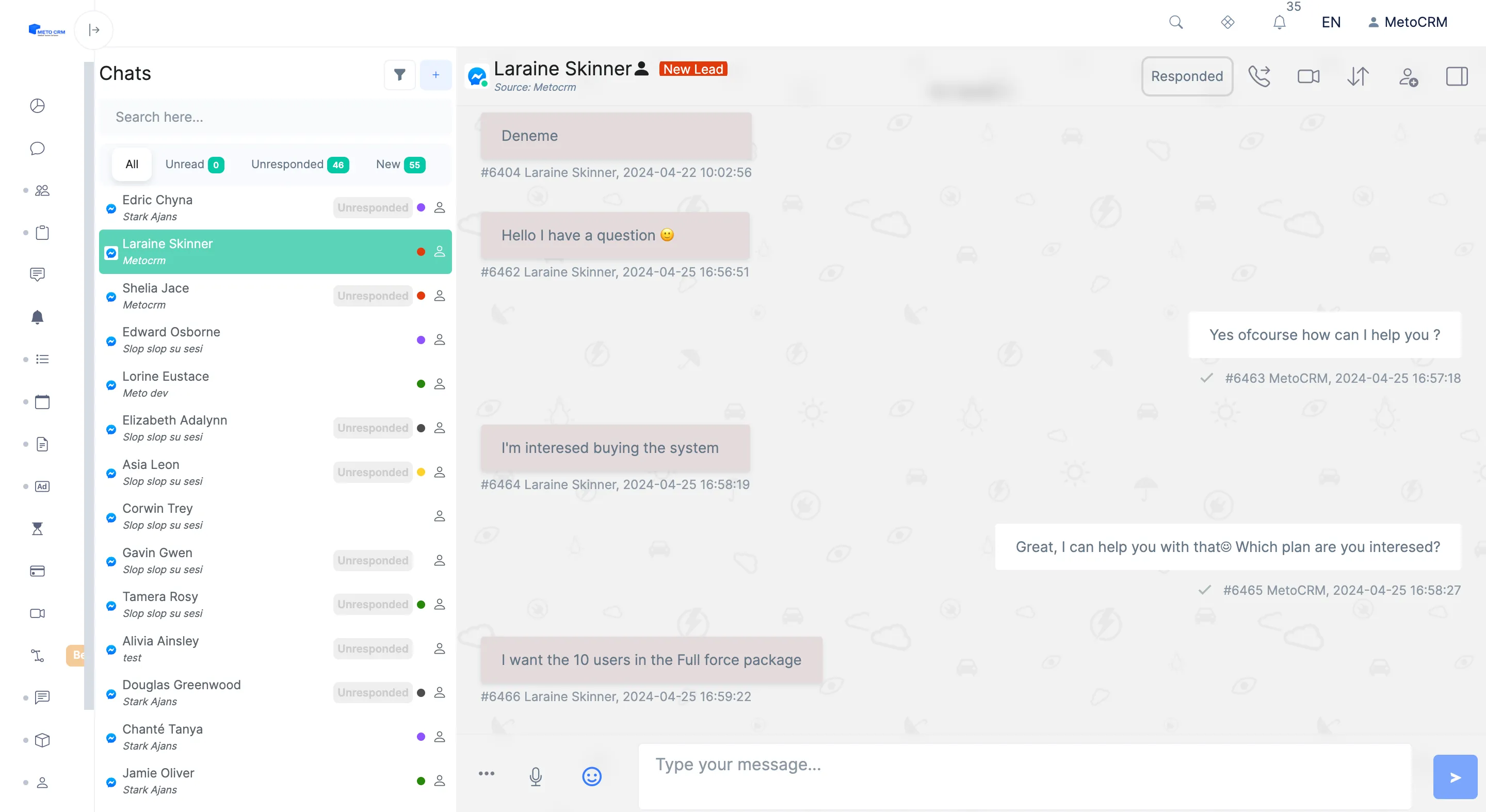
Facebook Messenger is one of the modules in MetoCRM, the medical tourism CRM built for clinics and health tourism agencies. The sections below cover what it does in day-to-day work.
The channel your Facebook ads actually deliver into
Clinics running click-to-Messenger campaigns pay for every conversation that starts there. When those conversations sit in a Page inbox that two people check occasionally, the cost per enquiry stays the same while the conversion rate quietly falls.
The Facebook Messenger integration consolidates messages from every connected Page into the shared MetoCRM inbox. They arrive within seconds, attached to a patient record, with the Page and campaign that produced them recorded — which is what makes it possible to compare the real return of Messenger campaigns against web forms and advertising forms.
- Several consultants work all incoming Messenger conversations
- Connect every Facebook Page your clinic operates
- Forward messages from a specific Page to the relevant consultant
- Manage the whole messaging process from one screen
- Keep Messenger history on the patient card with every other channel
Routing by page, language and department
A clinic advertising in several countries usually runs a Page per language or per market. Automatic forwarding lets each of those Pages hand its conversations to the right consultant or user group — the German Page to the German-speaking team, the dental Page to the dental coordinator.
The result is that the first reply comes from someone who can actually answer, rather than from whoever happened to open the inbox. Response time is the single clearest lever in medical tourism, where the same patient is usually talking to several clinics at once.
Connecting your Pages
The connection uses Meta's official Page permissions and takes a few minutes per Page. The Facebook Messenger setup guide covers the steps.
Because Instagram professional accounts sit under the same Meta business structure, most clinics connect Instagram DM in the same session, and add mentions and comments to catch the public comments left under ads.
Frequently asked questions
Yes. Every Page your clinic operates can be connected and worked from the same inbox, each with its own forwarding rule so conversations reach the right consultant or user group.
Within seconds of the patient sending them. That matters because click-to-Messenger campaigns are usually competing with several other clinics reaching the same patient on the same day.
For messaging, no — conversations are worked inside MetoCRM, where the patient card, offers and reminders sit beside the thread. Page administration itself still happens on Facebook.