Skip to content

Official Whatsapp API


What is Official Whatsapp API ?

Whatsapp Official API is build for medium and large businesses to run their Whatsapp account proffecionally without an issue. There is a lot of features for your bussiness to take advantage from full power of Whatsapp.

Whatsapp Business

  • Designed for Small Businesses: This app is suitable for small business owners who handle customer interactions personally. It’s installed on an individual smartphone and linked to a single mobile number.

  • User Interface: The app features a user interface similar to the standard WhatsApp messenger, allowing for manual sending and receiving of messages.
  • Basic Features: Includes business profiles, catalogues, and automatic greeting messages. However, it lacks advanced automation and integration capabilities.
  • Limitations on Messaging Volume: Primarily intended for manual operations, the app supports only a moderate volume of messaging without automated bulk sending options.

Whatsapp Official API

  • Built for Medium to Large Businesses: The API is designed to serve medium to large businesses with a high volume of messages and the need for advanced integration and automation.
  • No Standard User Interface: It requires integration with existing systems like CRMs or customer service platforms and does not come with a built-in user interface.
  • Advanced Features: Supports advanced automation, programmatic access, and integration with business systems, allowing for sophisticated customer interaction workflows.
  • Higher Messaging Capacity: Capable of handling a large volume of messages and supports bulk messaging, making it suitable for high-demand environments.
  • Multiple User: You can use one number for the whole company if you desire. All of your agents can talk via 1 Whatsapp number without getting banned.
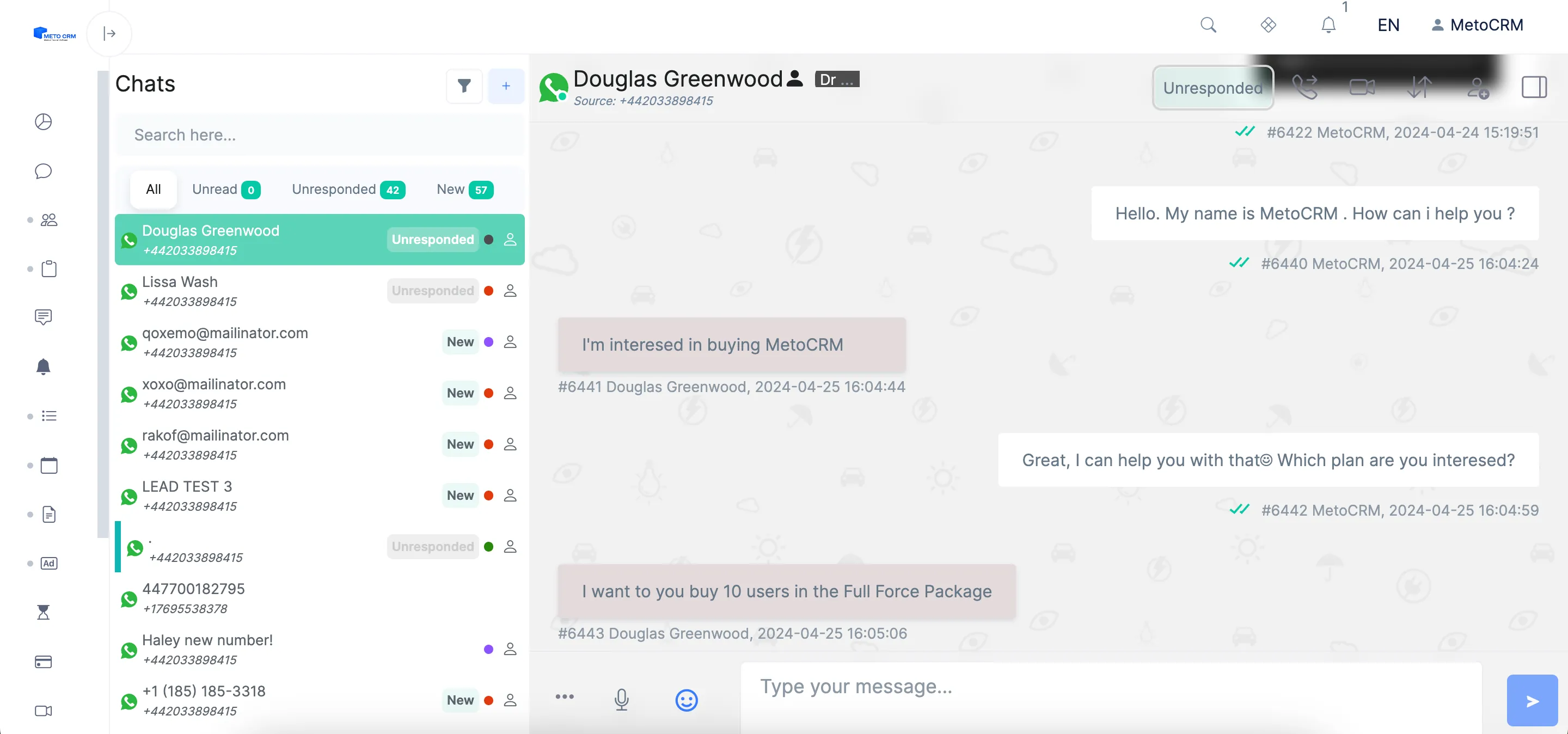
 

ekran resmi 2024 04 25 160556

Twilio Integration

Twilio integration, especially recommended for large businesses, meets the need for sending messages on a large scale through WhatsApp. This helps your business grow and allows for deeper interaction with your customers.

Automation

Meto's Automation seamlessly works with WhatsApp Business API. This allows you to scale your business and increase sales by engaging with more customers. This collaboration makes your communication and sales processes more efficient, contributing to increased customer satisfaction.

Customer Potential Capture

WhatsApp Business API enables your business to interact with potential customers more quickly. It provides the opportunity for automatic customer potential capture and sustained interaction.

What do you need?

*Meto Sales Package or Full Force Package
*Twilio Account

Documents

Official Whatsapp API is one of the modules in MetoCRM, the medical tourism CRM built for clinics and health tourism agencies. The sections below cover what it does in day-to-day work.

When a clinic outgrows a personal WhatsApp number

A personal WhatsApp account is fine while one consultant answers a handful of enquiries a day. It stops being fine when you run paid campaigns in several countries, need to reach patients who wrote three weeks ago, or want a verified business identity next to your name in the chat list.

The Official WhatsApp API is Meta's business channel for exactly that situation. It gives your clinic a verified profile, approved message templates you can send outside the 24-hour customer service window, and sending volumes a paired handset cannot support — all delivered into the same MetoCRM inbox your team already works.

  • Verified business profile instead of an unknown personal number
  • Approved templates for appointment, follow-up and campaign messages
  • Volume suited to multi-country advertising, not a single handset
  • Messages written to the patient card like every other channel
  • No dependency on one phone staying online

How it reaches patients who have gone quiet

Medical tourism decisions are slow. A patient asks about a dental package in March and books in June, and in between they stop replying. WhatsApp closes the free-form window 24 hours after the patient's last message, which is precisely why silent leads are so hard to recover on a personal number.

Approved templates reopen that door. Paired with automation and reminders, MetoCRM can send a pre-approved follow-up at the right interval — in the patient's language, from your verified clinic profile — and drop any reply straight back into the consultant's inbox.

Getting approved and connected

Access runs through Meta's business verification and a provider. The practical route we document is Twilio: apply for the number, create the services, then connect it to MetoCRM. The guides walk through each stage — applying for an official WhatsApp number with Twilio, creating Twilio services, and integrating the Official WhatsApp API with MetoCRM.

Templates themselves are built and submitted from inside the system — see creating an official template and the content template builder. If you need a shared inbox today and can wait on verification, start with WhatsApp Lite and migrate later.

Frequently asked questions

If a small team answers inbound enquiries on one number, Lite is enough and starts in minutes. Choose the Official API when you need a verified profile, template messages that reopen conversations after 24 hours, or sending volume beyond what a paired handset handles.

WhatsApp only allows free-form replies for 24 hours after the patient's last message. Outside that window you must use a template approved by Meta in advance, which is one of the main reasons clinics move to the Official API.

It depends on Meta's business verification and your provider, not on MetoCRM. Have your business documents and a number that is not already registered to a personal WhatsApp account ready before you start, as those are the two most common causes of delay.

Only if it is not currently active on a personal or Business app WhatsApp account. A number can live on one of the two, so plan the migration deliberately — many clinics keep the old number on Lite and bring a new one onto the Official API.