Whatsapp Lite is one of the modules in MetoCRM, the medical tourism CRM built for clinics and health tourism agencies. The sections below cover what it does in day-to-day work.
Why WhatsApp decides your medical tourism pipeline
For most clinics and health tourism agencies, WhatsApp is not one channel among many — it is where the enquiry actually lands. A patient sees an Instagram ad for a hair transplant, taps through, and writes on WhatsApp within a minute. If that number lives on one consultant's personal phone, the conversation stops when that consultant is off shift, on a flight, or leaves the company.
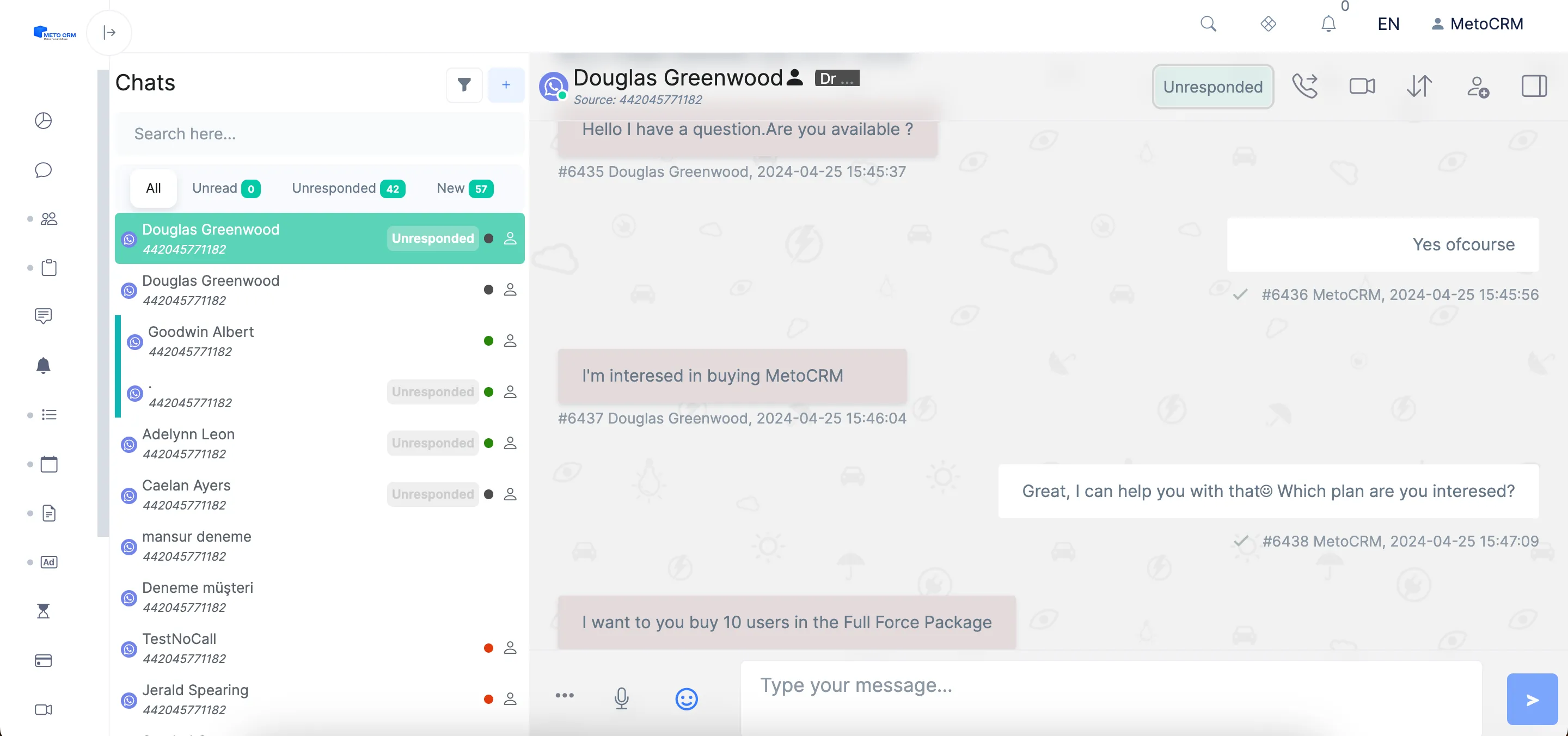
WhatsApp Lite pairs your existing WhatsApp number to MetoCRM with a QR code — the same pairing WhatsApp Web uses, so no password is ever shared. From that moment every message is written into the patient record instead of a private phone, and any authorised consultant can pick the conversation up where it was left.
- Connect an existing WhatsApp number in seconds with a QR code
- Several consultants answer from the same number without conflicting
- Every incoming chat is captured as a lead with its source attached
- Conversations stay on the patient card when staff change
- Hand a conversation to a colleague, or pull one in, with a single click
From first message to a sent quote without leaving the chat
A treatment enquiry usually turns on how fast a credible price reaches the patient. In the MetoCRM chat panel the consultant has the patient card open beside the conversation: previous messages, treatment interest, language, source and status are all visible.
When the patient asks for a price, the consultant presses create offer, picks the treatment items from Products, sets the currency the patient thinks in, and sends the offer into the same WhatsApp thread. Nothing is retyped, and the quote is recorded against the patient so reports can later show which treatments and which consultants actually convert.
What you need to start
WhatsApp Lite is available on the Meto Sales and Meto Full Force packages and needs a WhatsApp account you already control plus a Mefitx account. Setup is a QR scan — see the WhatsApp QR connection guide for the step-by-step walkthrough.
If you send campaign or reminder messages at volume, or you need a verified business identity and message templates, look at the Official WhatsApp API instead. Many agencies run both: Lite for the consultant's day-to-day conversations, the Official API for structured outbound.
Frequently asked questions
No. WhatsApp Lite pairs through a QR code in exactly the same way as WhatsApp Web, so your account credentials are never entered into MetoCRM or shared with colleagues. You can unlink the device at any time from your phone.
Yes. That is the point of the integration. The number stays single from the patient's side, while your team works it from one shared inbox inside MetoCRM, with conversations assigned, transferred or joined as needed.
Lite pairs a number you already use by QR code and is the fastest way to get a team onto a shared inbox. The Official WhatsApp API is a Meta-approved business channel with a verified profile, approved message templates and higher sending volume, and it needs an application process.
They stay in MetoCRM. Because messages are stored against the patient card rather than on a personal handset, the next consultant opens the card and reads the entire history — treatment discussed, prices quoted and objections raised.