


Patient management
How to define customer statuses
Adding, editing and deleting the statuses that show where a patient sits in your sales pipeline.
Where to find it
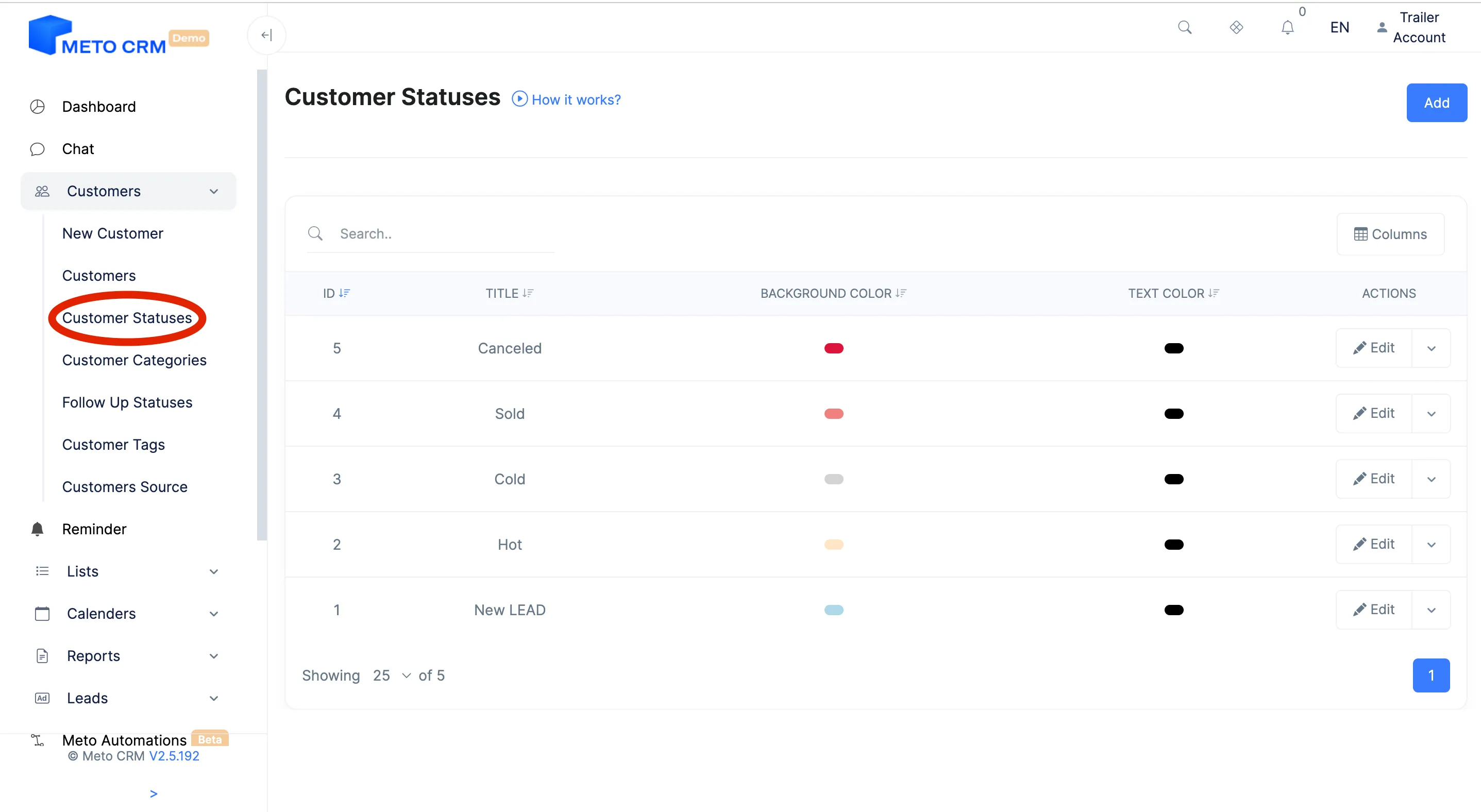
CustomersCustomer Statuses
The customer status shows where a patient sits in your sales pipeline: newly arrived, waiting on a price, booked, operated. Whether your reports mean anything depends entirely on this field being kept honestly.
Model your statuses on the process you actually run, not the one you wish you ran. A status nobody updates corrupts reporting rather than improving it.
Step by step
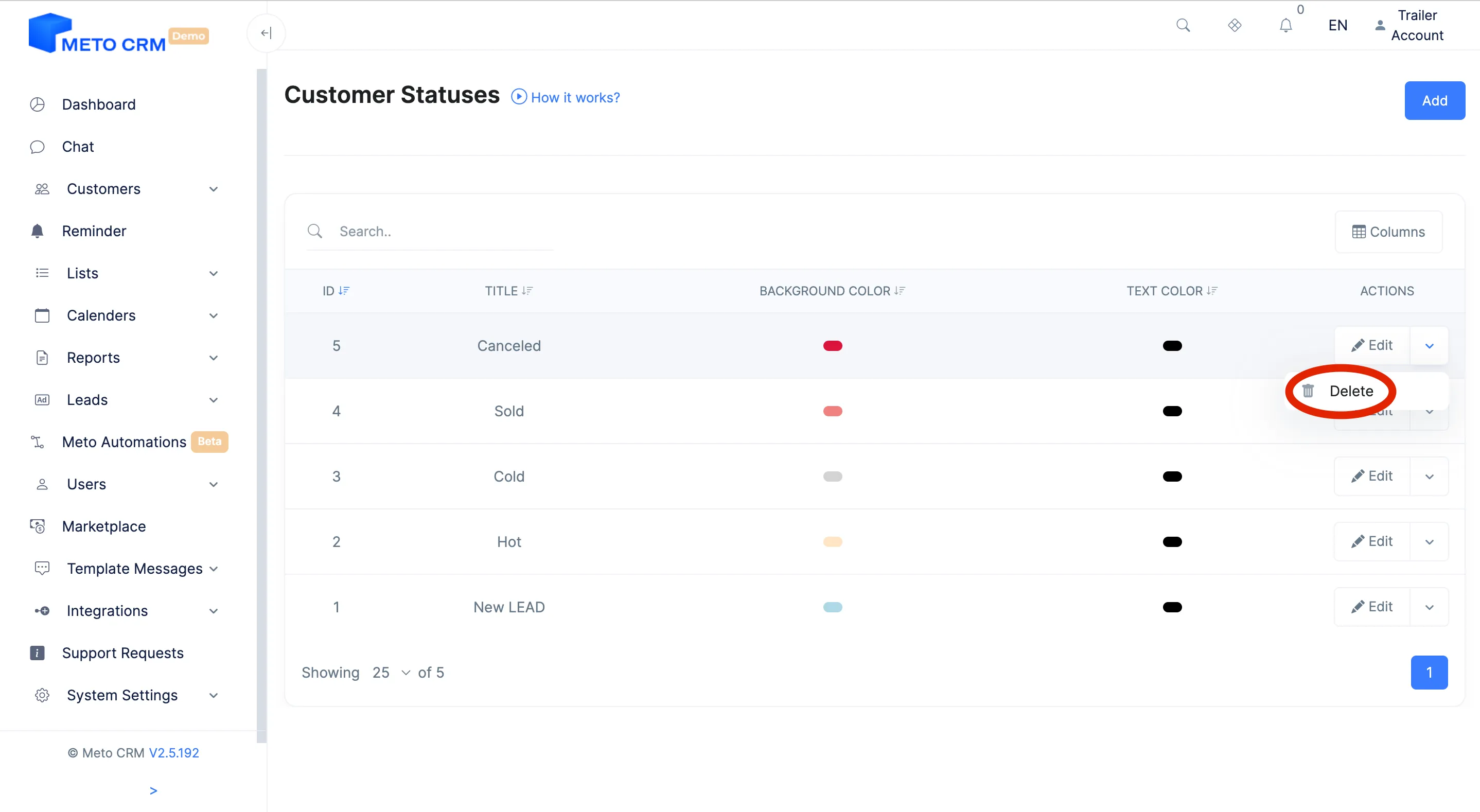
- Open the Customer Status page from the main menu of the Customers .
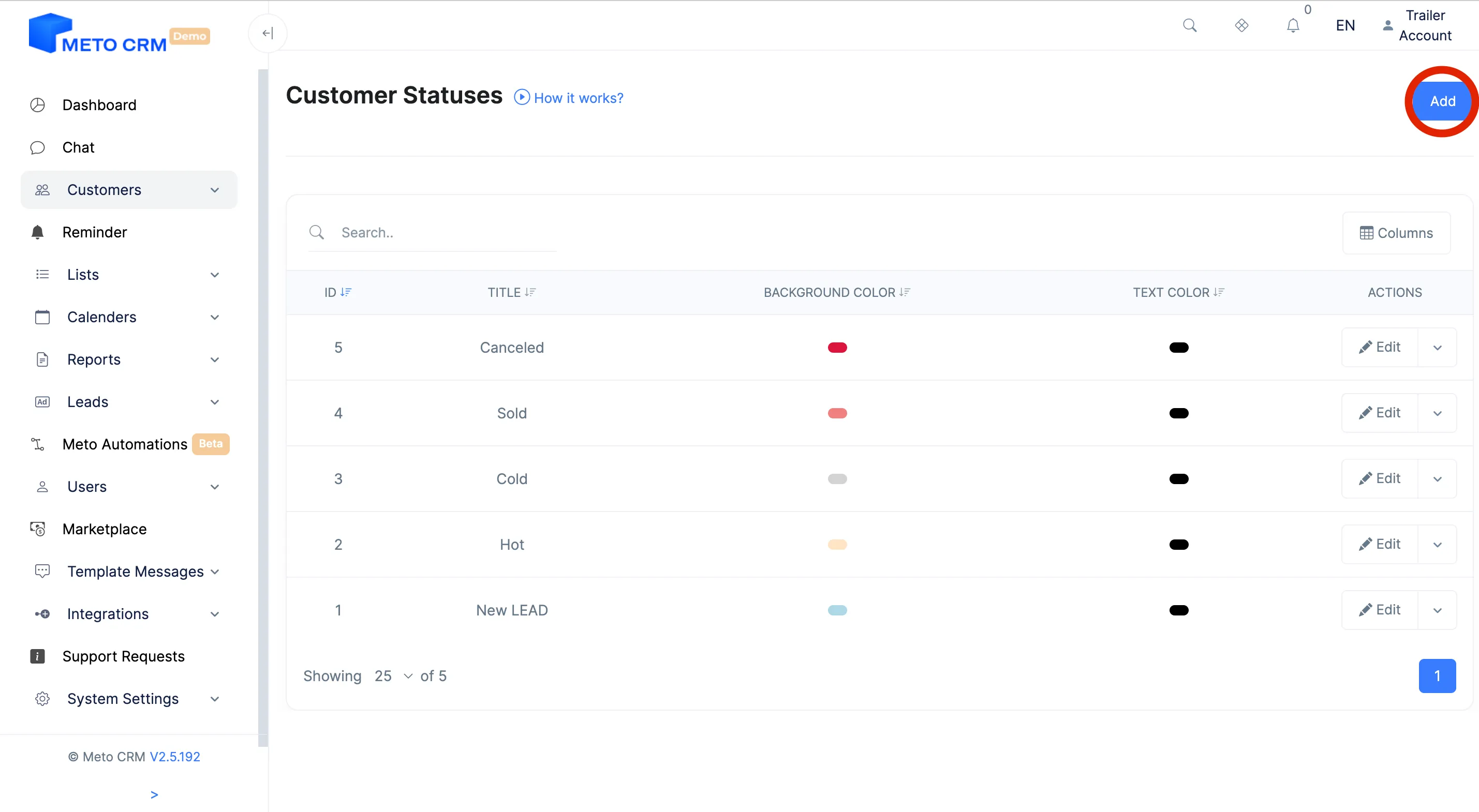
- Click the Add button on the upper right.
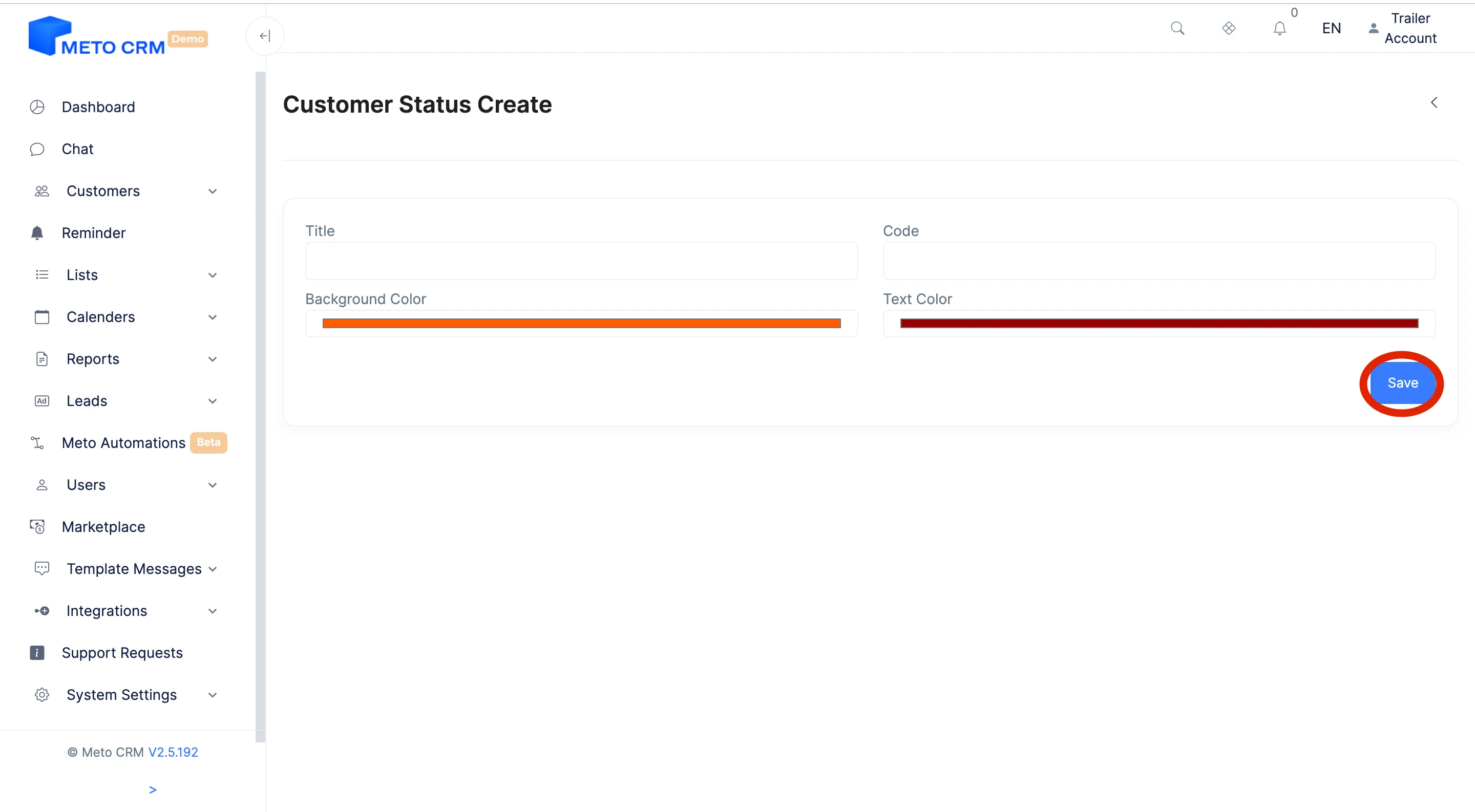
- Type in the name of the status you want to add for the patient. Click the Save button to complete the process.
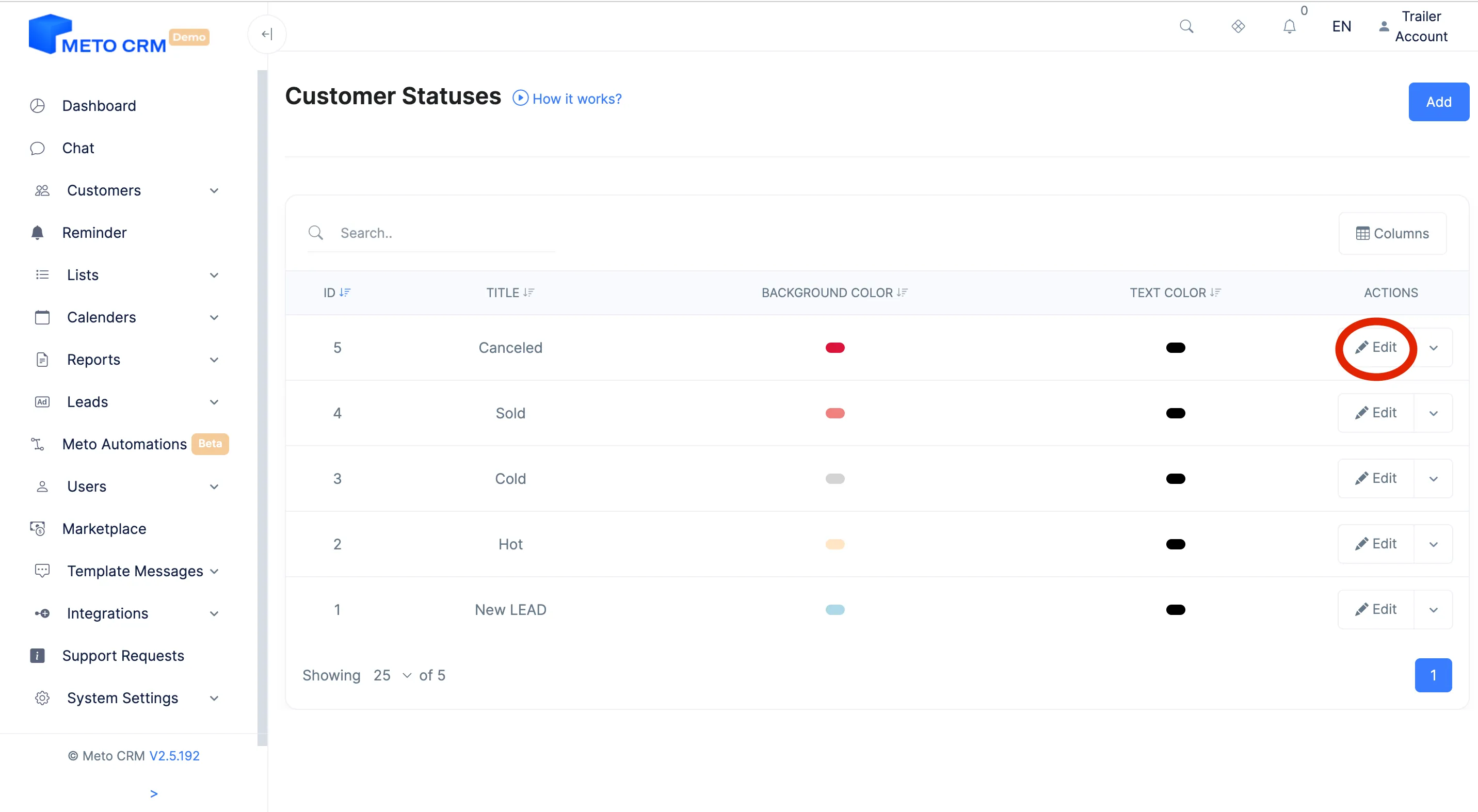
- If you want to edit, click the Edit button on the right of the customer status row you added, and complete the process.
- If you want to delete the customer status, press the Delete button.
Tips and common mistakes
- Tip Keep the count between six and ten. In clinics with twenty statuses consultants stop updating them and the report stops reflecting reality.
- Tip Statuses become the columns of the kanban board; order them along the patient's real journey.
- Careful If a status is used in your Meta conversion mapping, check that mapping before renaming it — the "interested" and "purchase" signals depend on it.
Frequently asked questions
Can I change statuses in bulk?
Yes. Filter the customer list and change the status of the selected patients at once; a "before" distribution summary is shown before it is applied. See bulk operations.
What is the difference between status and follow-up?
The status is the stage in the pipeline; the follow-up status is what the patient is waiting on at that stage. Together they give you "in the quote stage, waiting for flight details".
Can I delete a status I no longer use?
Deleting leaves a hole in historical reports. Renaming it and moving it to the end of the list is safer.