


Channels and messaging
How to create an official template message
Registering approved WhatsApp templates in MetoCRM so you can write outside the 24-hour window.
Where to find it
Chat ManagementOfficial Templates
On an official WhatsApp line you can write freely for 24 hours after the patient's last message. Once that window closes you may only send text Meta has approved in advance. Official templates are how those approved messages are registered in MetoCRM.
The templates that earn their keep in medical tourism are the ones that reopen a closed window: a quote reminder, an appointment confirmation, pre-operation instructions and a follow-up check.
Before you start
- The template must first be created and approved on the Twilio/Meta side — see adding a WhatsApp content template.
- Keep the approved template's name and variable order to hand.
Step by step
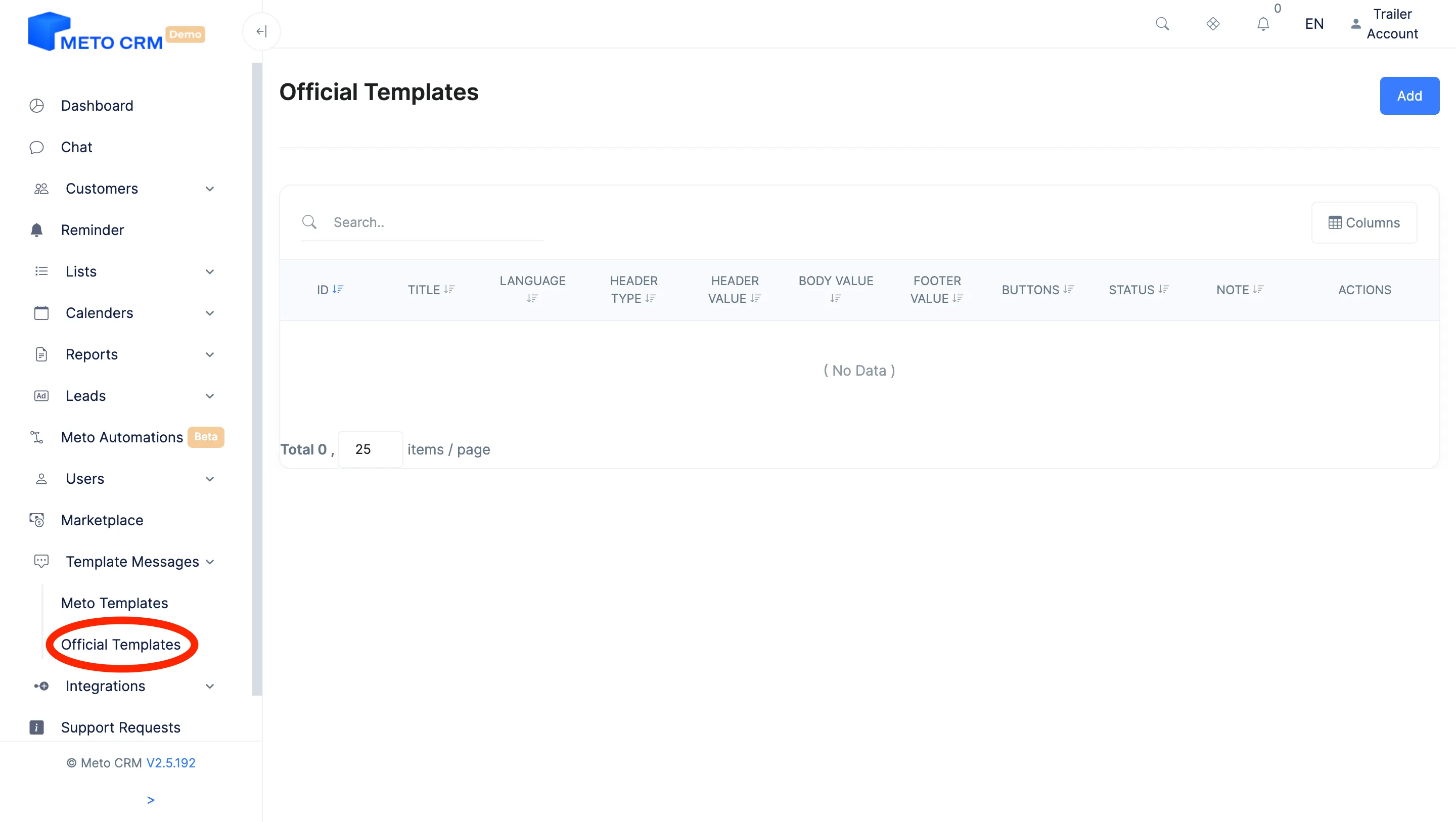
- Click the Offical Templates button under Chat Management in the menu on the left.
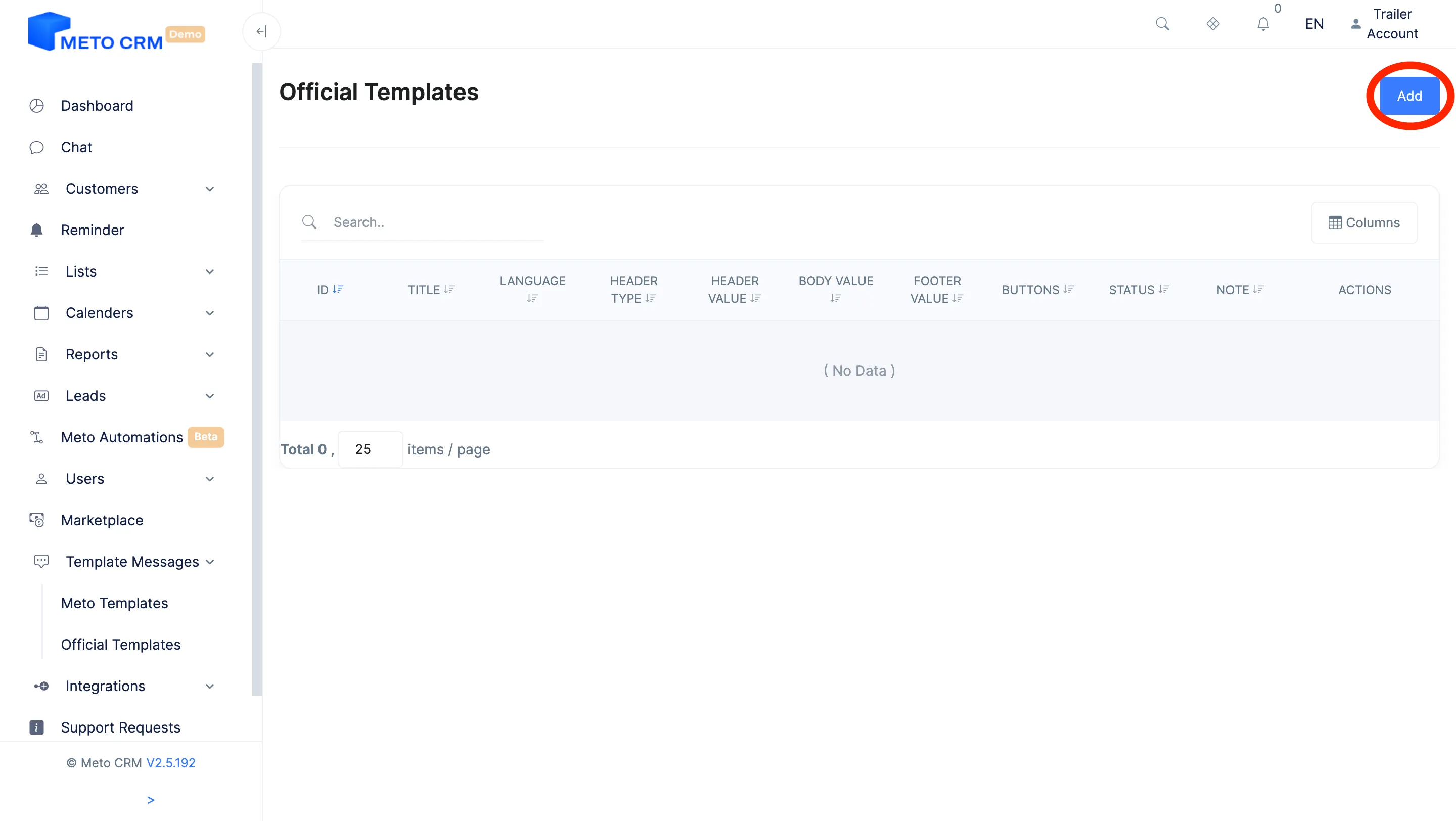
- On the page that opens, click the Add button at the top right.
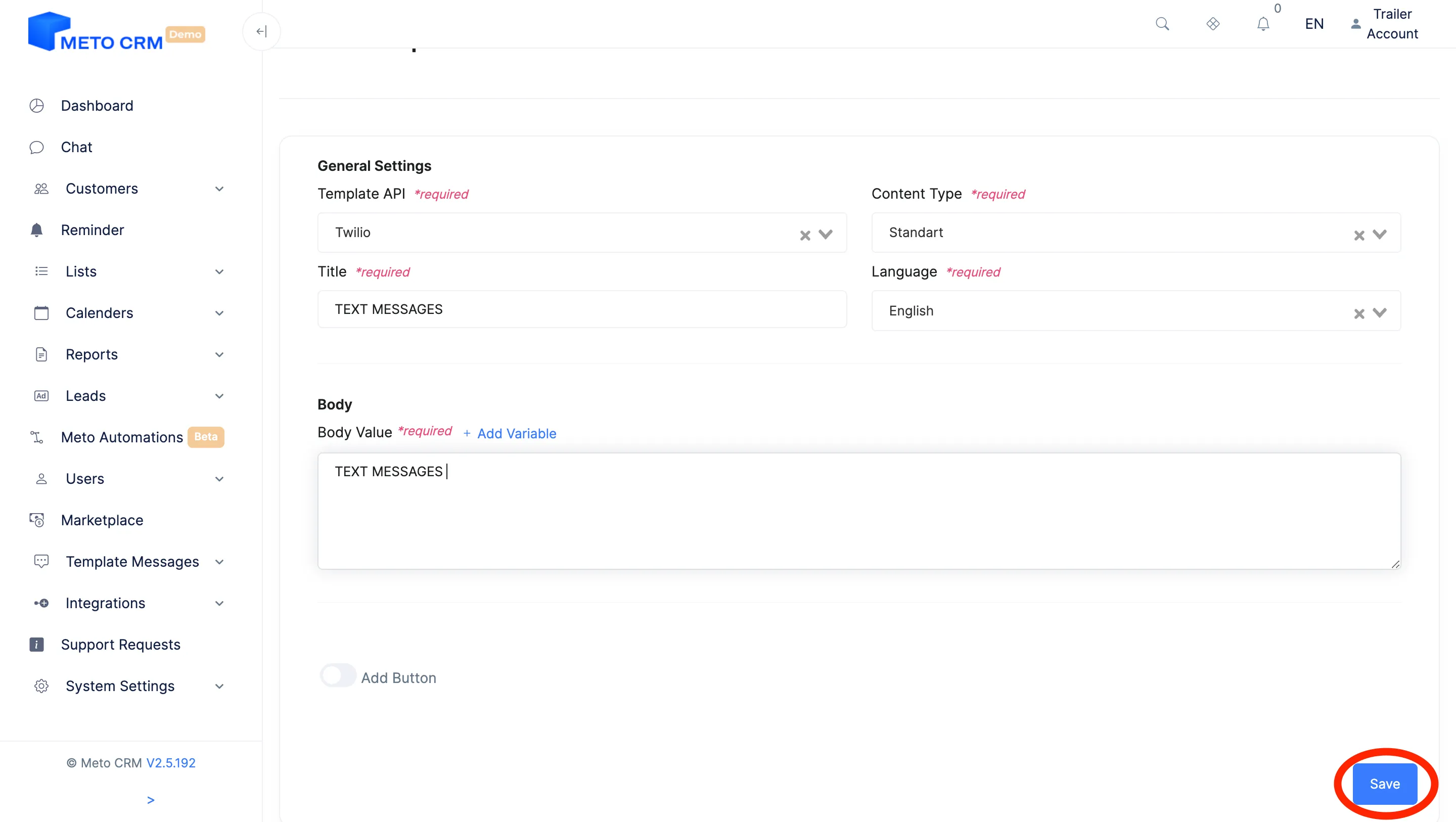
- After filling in the fields on the page that opens, click the Save button at the bottom right.
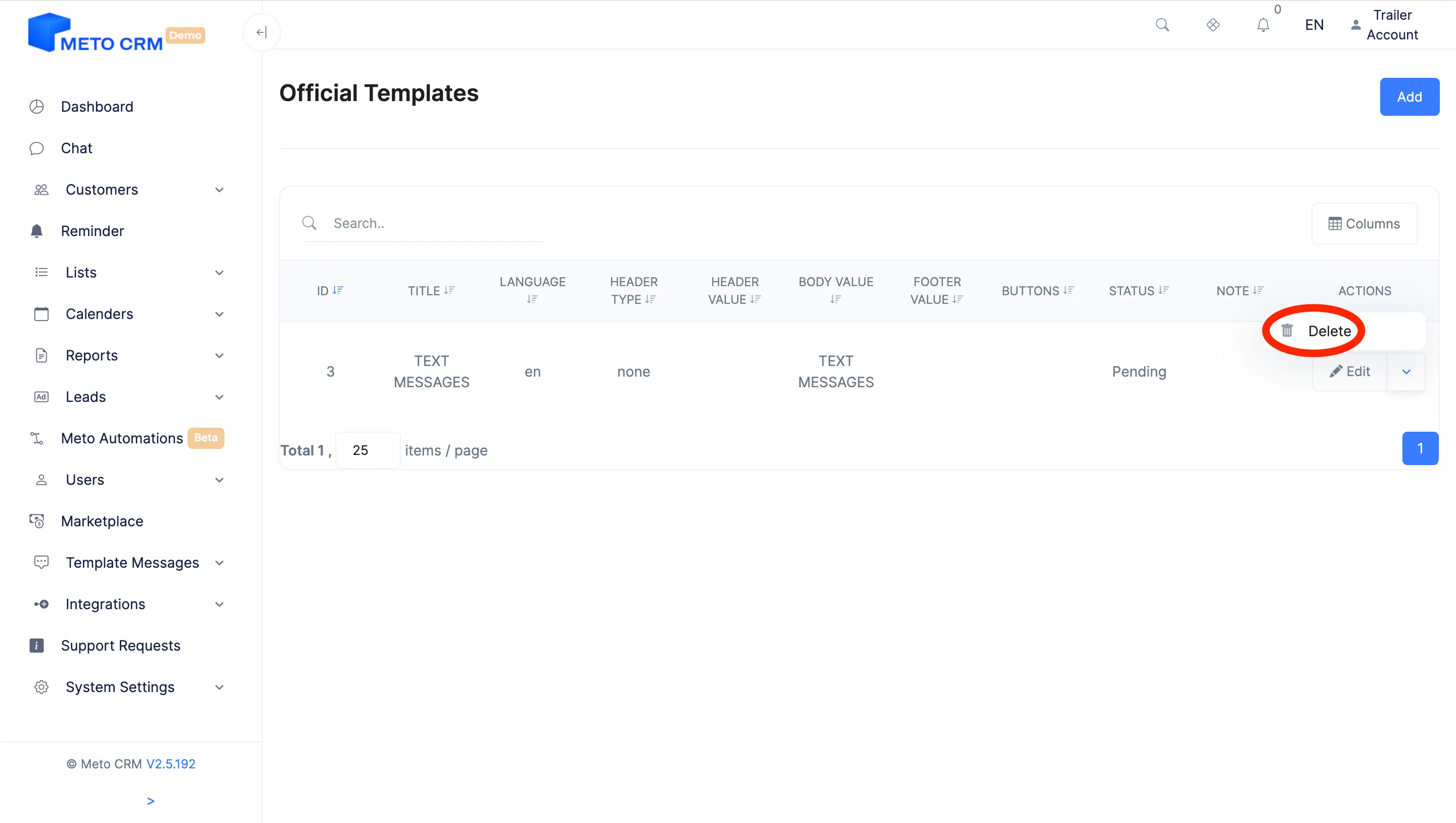
- If you want to make changes to the templates, click the Edit button.
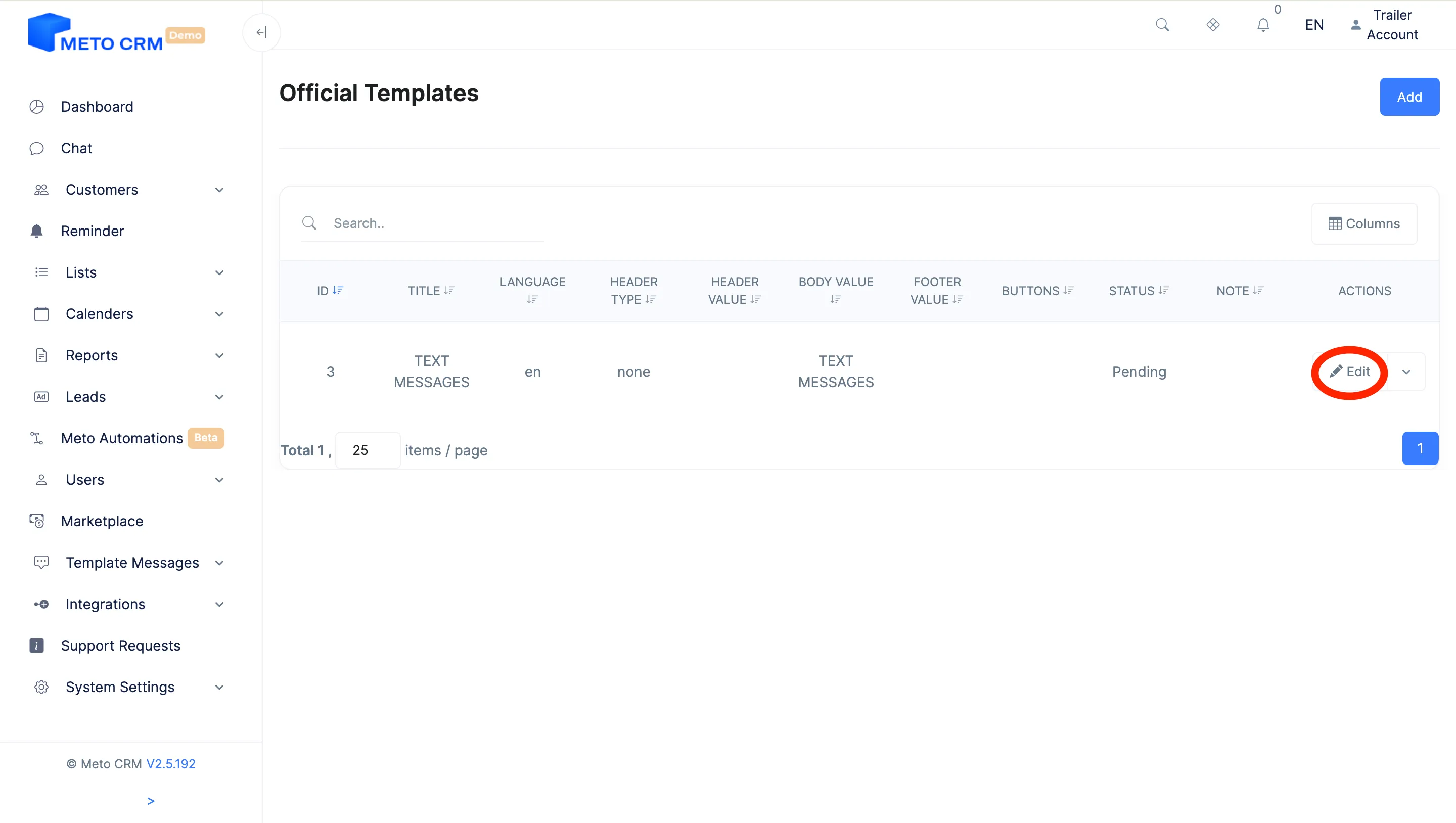
- To delete the template, press the arrow button next to the edit button and click the Delete button.
Tips and common mistakes
- Careful Registering a template in MetoCRM is not the same as getting it approved. Text without Meta's approval cannot be sent on an official line — the system rejects it.
- Careful Variable order must match the Meta template exactly. When it slips, the patient gets the wrong name or the wrong date, and that cannot be undone after sending.
- Tip For day-to-day replies inside the window use chat templates instead: no approval, edits take effect immediately.
Frequently asked questions
Do I need re-approval if I edit a template?
If you change the wording, yes — approval attaches to the text on Meta's side. Fixing the MetoCRM record alone does not change the approved text, and sending always uses the approved version.
I sent a template and it never arrived.
Check the message record in the Twilio console: a mismatched template name or the wrong number of variables gets rejected at send time. The other common cause is a number that has no WhatsApp account.
How many templates can I have?
The limit sits on Meta's side and depends on your account quality. Clinics typically run 5-15. One template with variables beats one template per scenario — it clears approval faster.