


Patient management
How to add a follow-up status
Adding, editing and deleting the follow-up statuses that show what a patient is waiting on.
Where to find it
CustomersFollow-up Statuses
The follow-up status shows what a patient is waiting on right now: "price sent, awaiting reply", "awaiting flight details", "visa in progress". Where the status names the stage, the follow-up names the blockage inside it.
That distinction does one very practical job: when you look at the list in the morning, the follow-up status is what answers "whose move is it?".
Step by step
- Click on the Follow Up Statuses button under customers from the menu on the left.
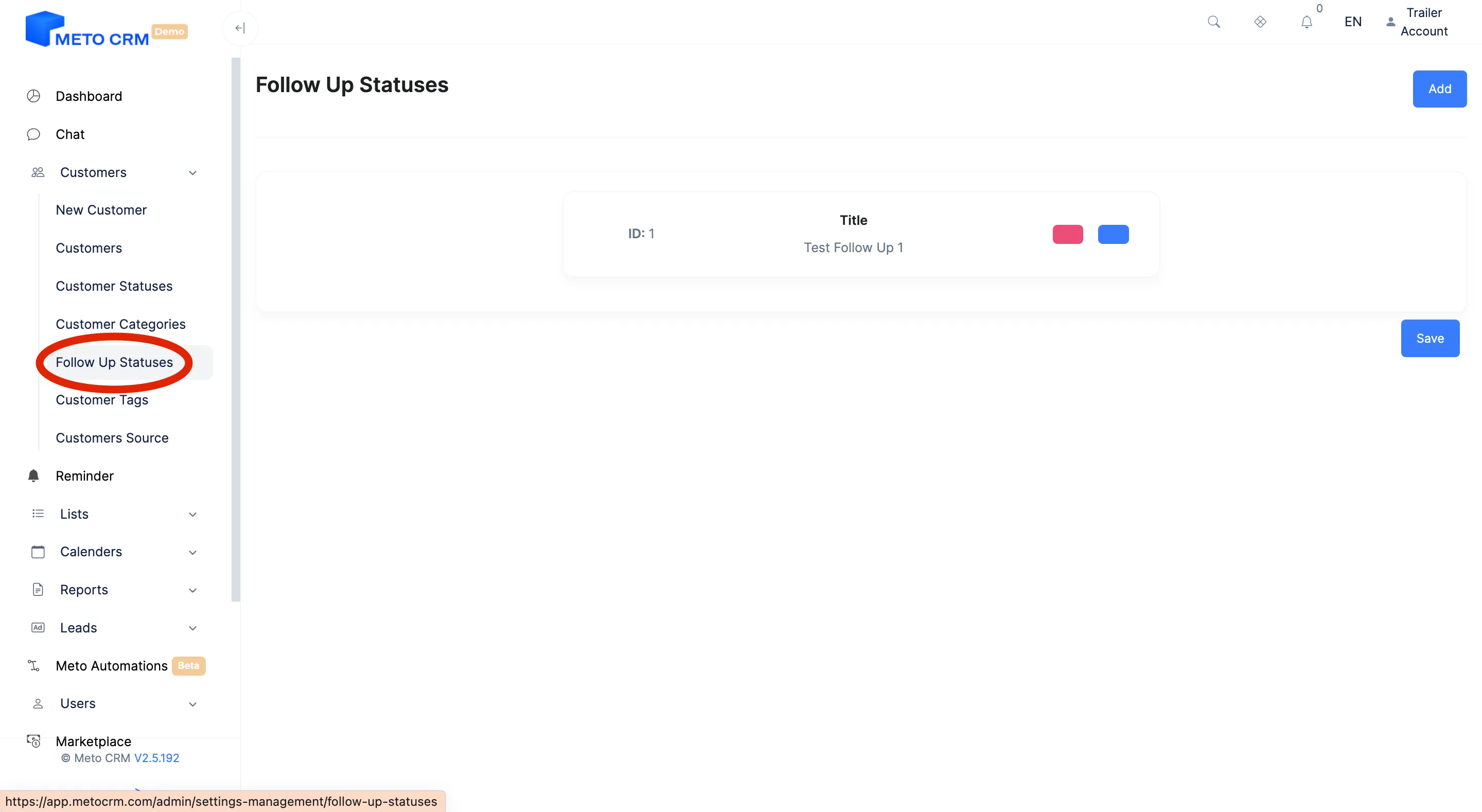
- On the page that opens, click the Add button at the top right.
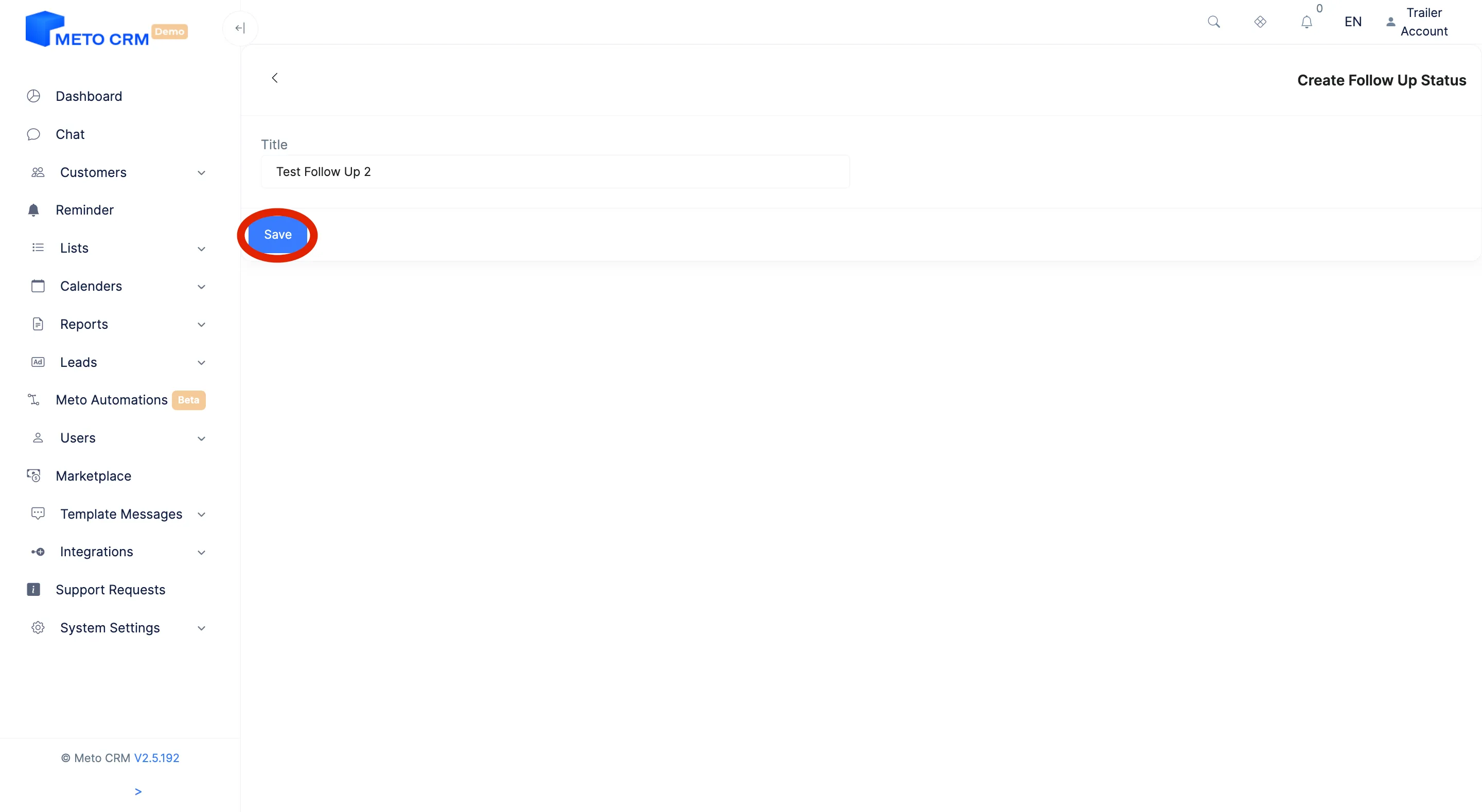
- After the page opens, fill in the fields on the screen and click the Save button.
- If you want to make changes to the created follow up, press the Edit button. If you want to delete the created follow up, press the Delete button.
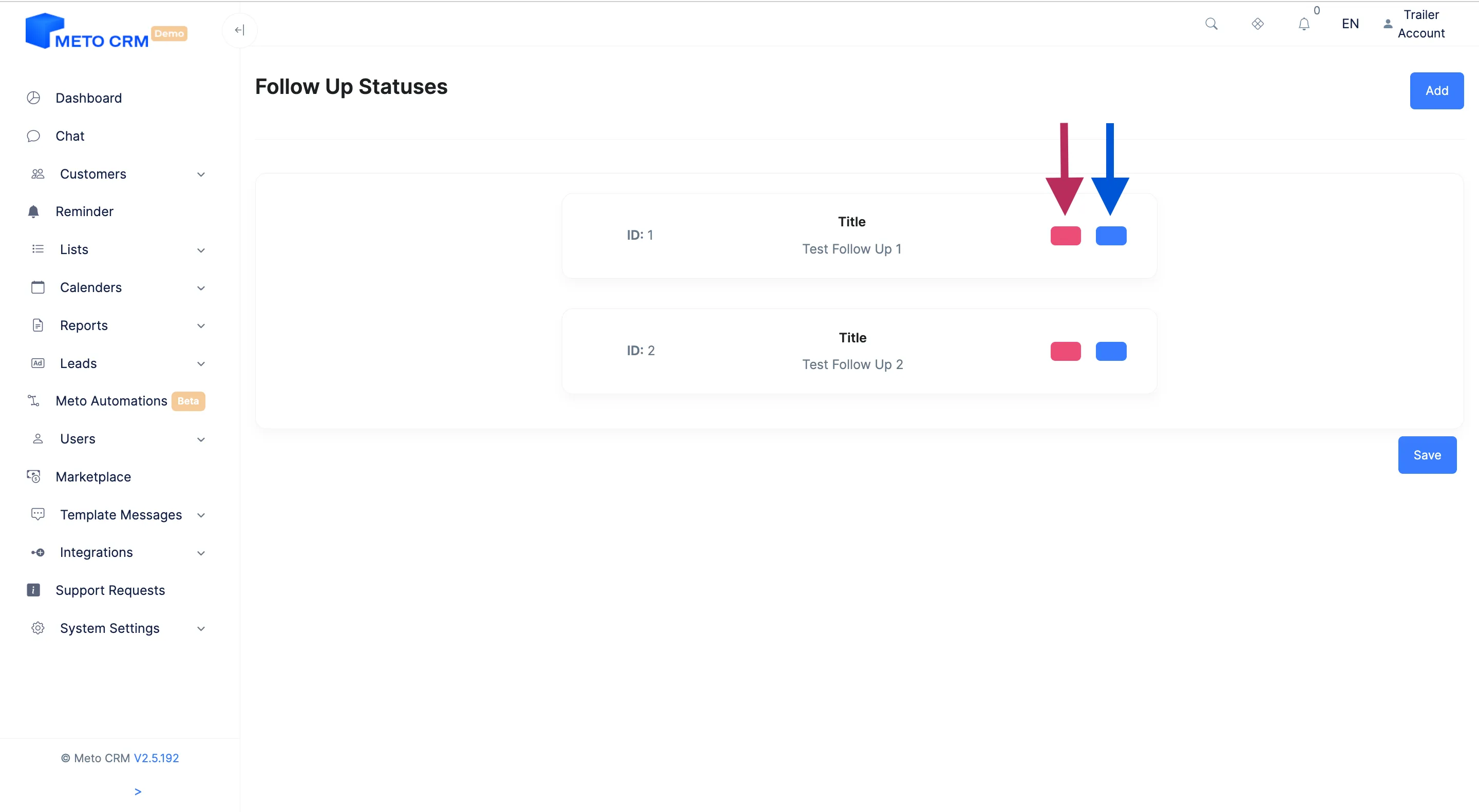
- Blue arrow means edit Red arrow means delete
Tips and common mistakes
- Tip Always name a follow-up status after the side that owes something. The gap between "awaiting patient reply" and "we owe them a price" is the whole working day.
- Tip Pair the follow-up status with a reminder: the status says what you are waiting for, the reminder says when you come back to it.
Frequently asked questions
Can the follow-up status replace the customer status?
No — they answer different questions and are designed to be used together. With status alone, "why is this stuck?" goes unanswered.
Does the follow-up status change automatically?
It is updated manually. If you want an automated flow, a status-based automation is the better fit.