


Channels and messaging
How to connect WhatsApp Lite
Pairing an existing WhatsApp number with MetoCRM using a QR code and choosing which groups may use it.
Where to find it
IntegrationWhatsApp Lite
In medical tourism most enquiries land on WhatsApp. If that number lives on one consultant's personal phone, the conversation leaves with them — when they are off shift, on a flight, or when they resign. WhatsApp Lite pairs your existing number with MetoCRM using a QR code: the same pairing WhatsApp Web uses, so no password is ever shared.
After pairing, every message is written to the patient record and any authorised consultant can pick the conversation up where it was left. If you need the official WhatsApp Business API — approved templates, the 24-hour window, a verified business — read the official WhatsApp API guide instead.
Before you start
- Have the phone with the WhatsApp app for that number in front of you.
- Decide in advance which user groups may use this number — the pairing screen asks for it.
Step by step
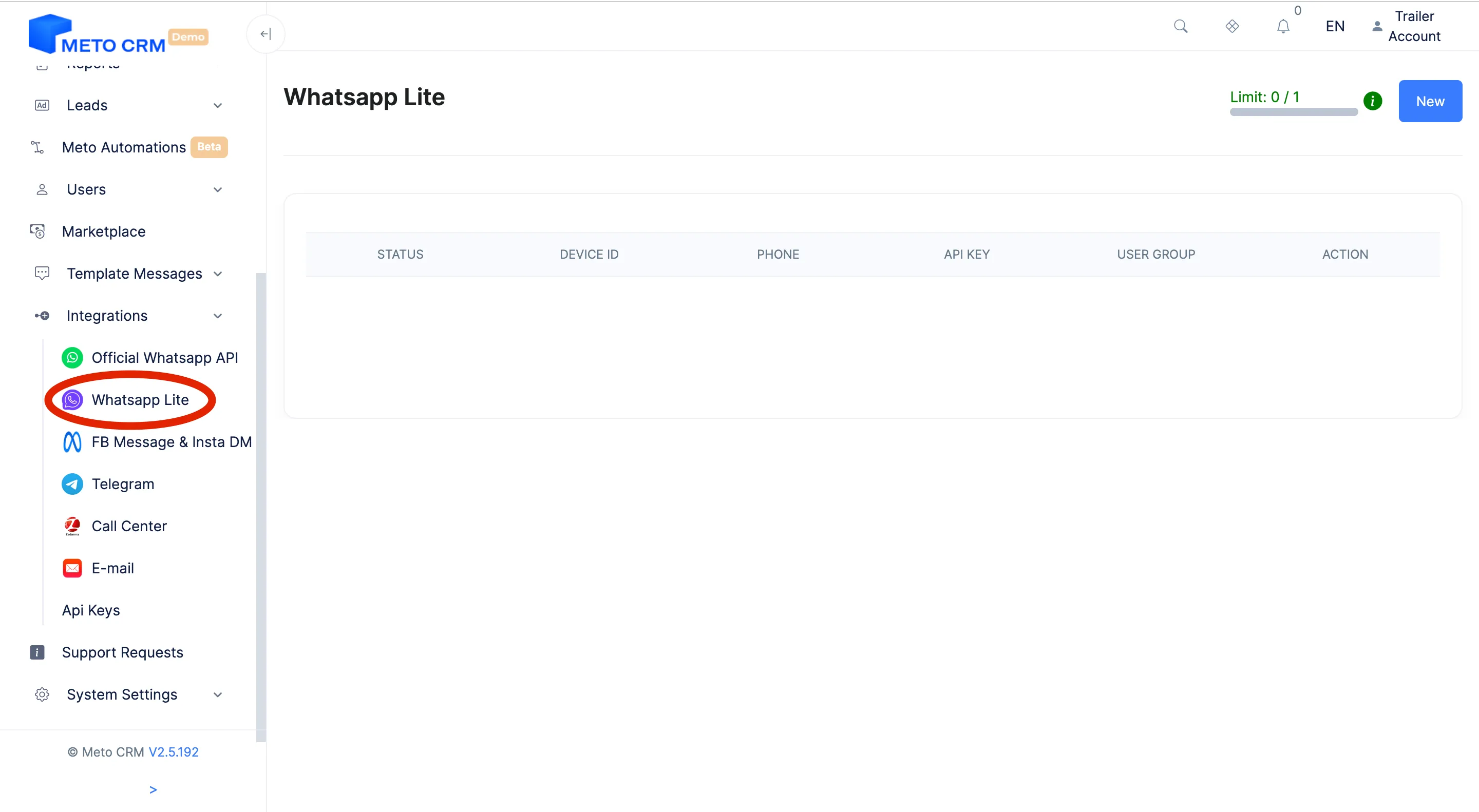
- Access the MetoCRM panel. Click on the Integration button located in the left main menu and then enter the Whatsapp Lite section.
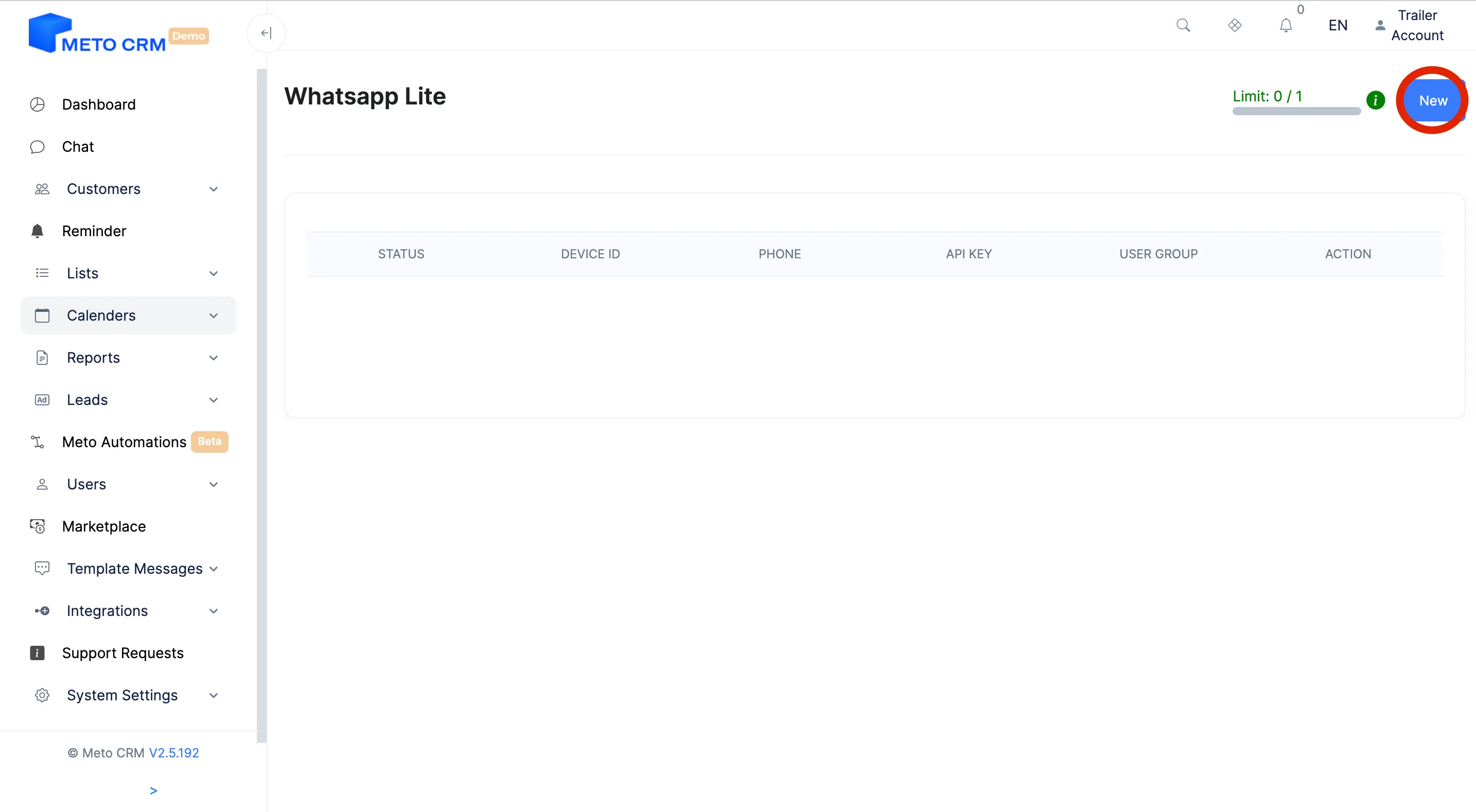
- Click on the New button in the top right corner.
- In the opened screen, enter a name for the device you want to connect to in the Enter device name field.
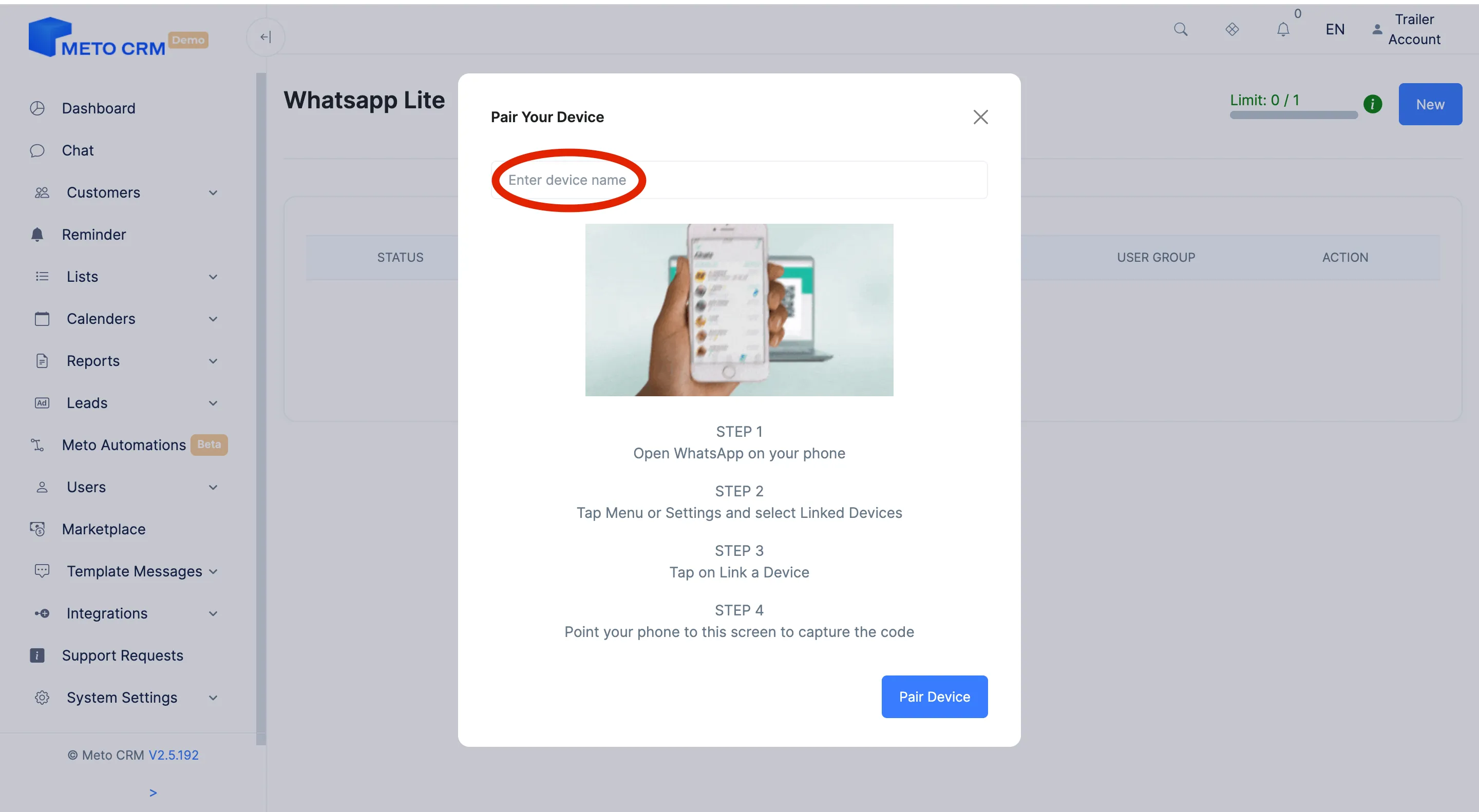
- Then click on the Pair Device button. Scan the QR code with the WhatsApp account you want to connect to. Don't forget to assign a user group to the connected WhatsApp account.
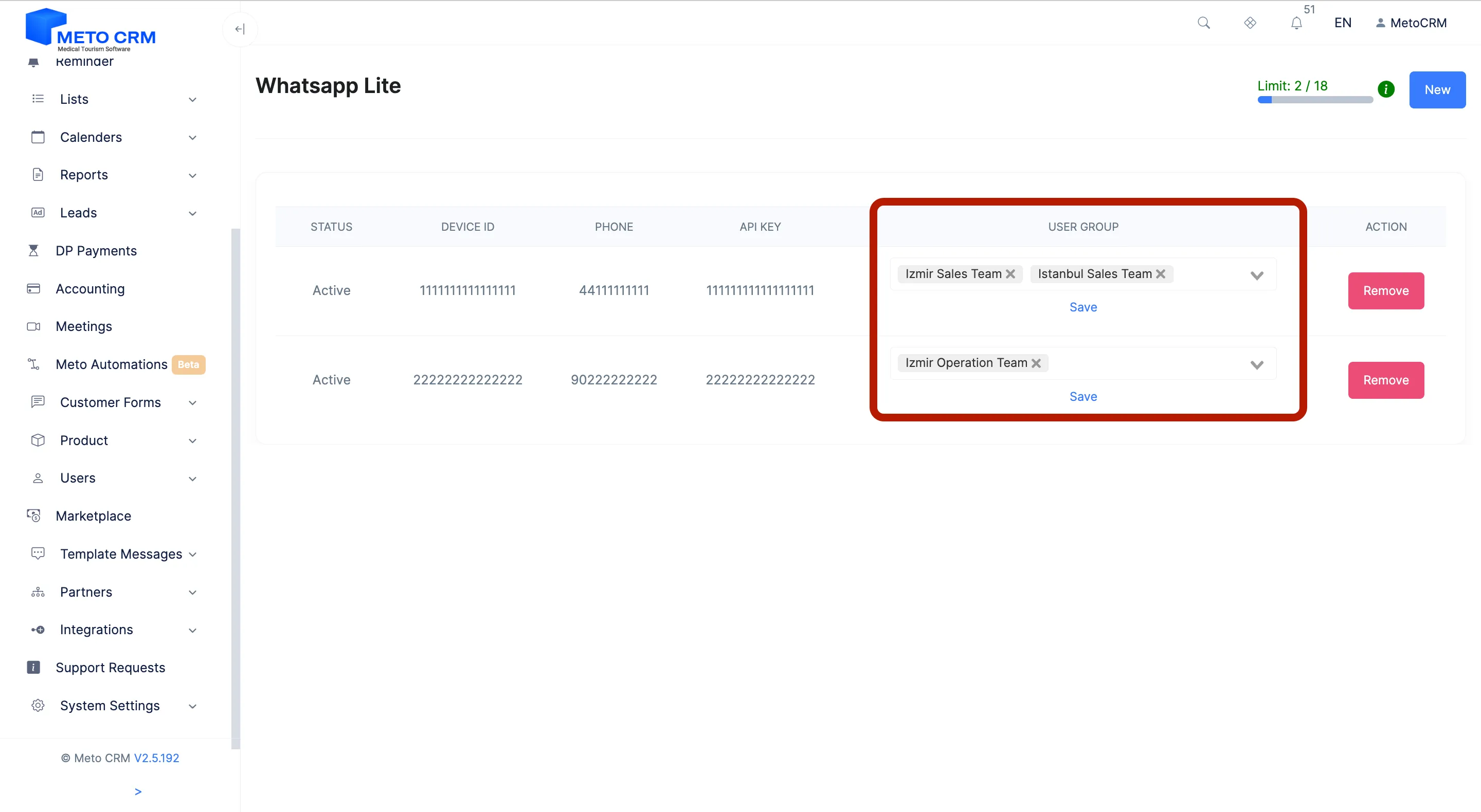
- If you want to unlink your WhatsApp number that you added to the system, press the Remove button.
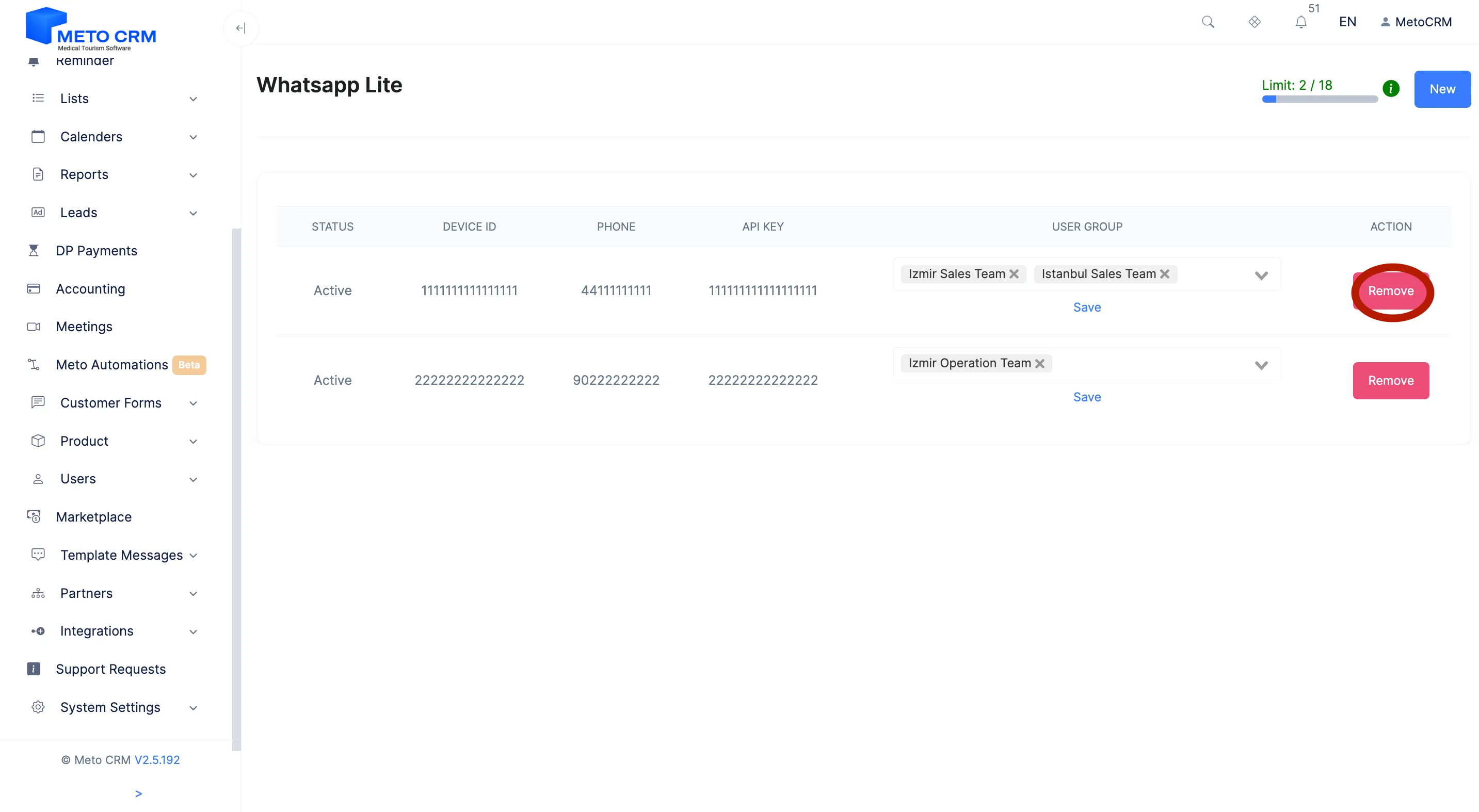
- Note: The reason for assigning a user group to the connected WhatsApp account is to specify which groups are allowed to interact with this number.
Tips and common mistakes
- Careful If you assign both a user group and a single person to a line, the person wins: incoming chats are created directly for them and never reach the team pool. For team sharing, assign only the group and no individual.
- Careful WhatsApp Lite depends on the paired phone's session. If someone signs the device out from WhatsApp's "linked devices" list the connection drops and messages stop — you have to pair the number again.
- Tip Send a test message after pairing and confirm it appears in the panel. That test is the cheapest moment to notice a silent failure — much cheaper than a missed patient.
Frequently asked questions
What is the difference between WhatsApp Lite and the official API?
Lite pairs your existing number by QR: minutes to set up, no approval needed, but no template messages and you cannot open a conversation outside the 24-hour window. With the official API the number is verified by Meta and you can write any time using approved templates — at the cost of an application process and a per-message fee.
Can several consultants use the same number?
Yes — that is the point. You pair the number once, and the user groups you pick during pairing decide who may write. Consultants answer from the same number without conflicting.
Will messages keep arriving if I switch the phone off?
WhatsApp Lite uses the same pairing as WhatsApp Web; a phone that stays off or offline for a long time can drop the connection. Keep the number on a device that stays online, or move to the official API.
How do I disconnect?
Open Integration › WhatsApp Lite and press Remove on that number's row. Past conversations stay on the patient records.