


Channels and messaging
How to add Instagram DM
Linking an Instagram business account to your Facebook page and pulling direct messages into the MetoCRM inbox.
Where to find it
IntegrationInstagram DM
For aesthetic, hair transplant and dental clinics a large share of demand arrives in Instagram DMs. As long as those messages live on a phone they can be neither measured nor handed over. The integration moves DMs into the MetoCRM inbox and ties every exchange to a patient record.
Instagram's rule does not bend: DM access is granted through a business account attached to a Facebook page. Without both, the connection screen will not list the account.
Before you start
- The Instagram account must be a business account — personal and creator accounts will not do.
- It must be linked to a Facebook page on which you have admin rights.
- Access to Instagram direct messages must be enabled in the Facebook page settings.
Step by step
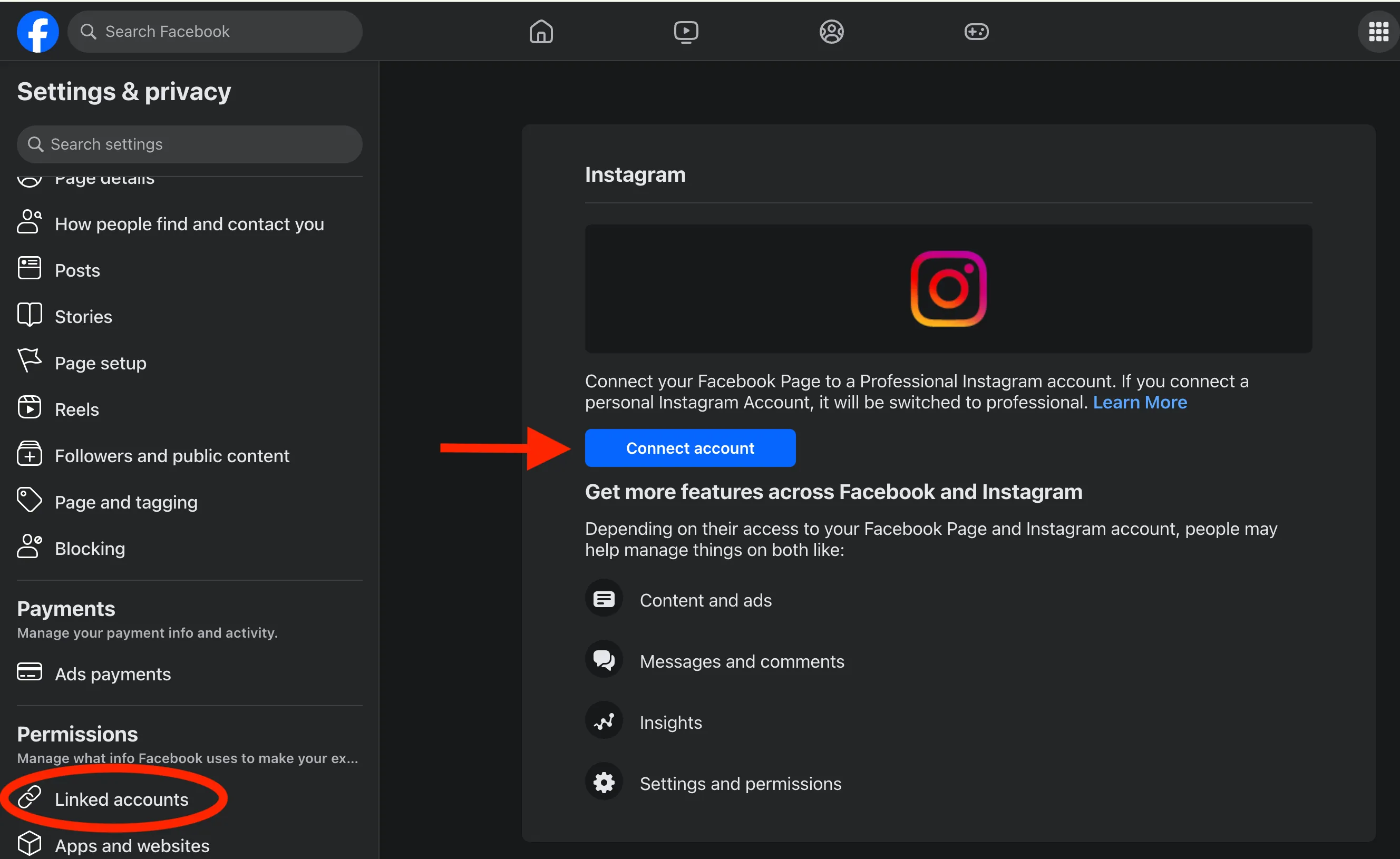
- To connect MetoCRM to Instagram, you need to have a Facebook page and an Instagram business account. Follow these steps: 1. Go to the settings of your Facebook business page and link your Instagram account.
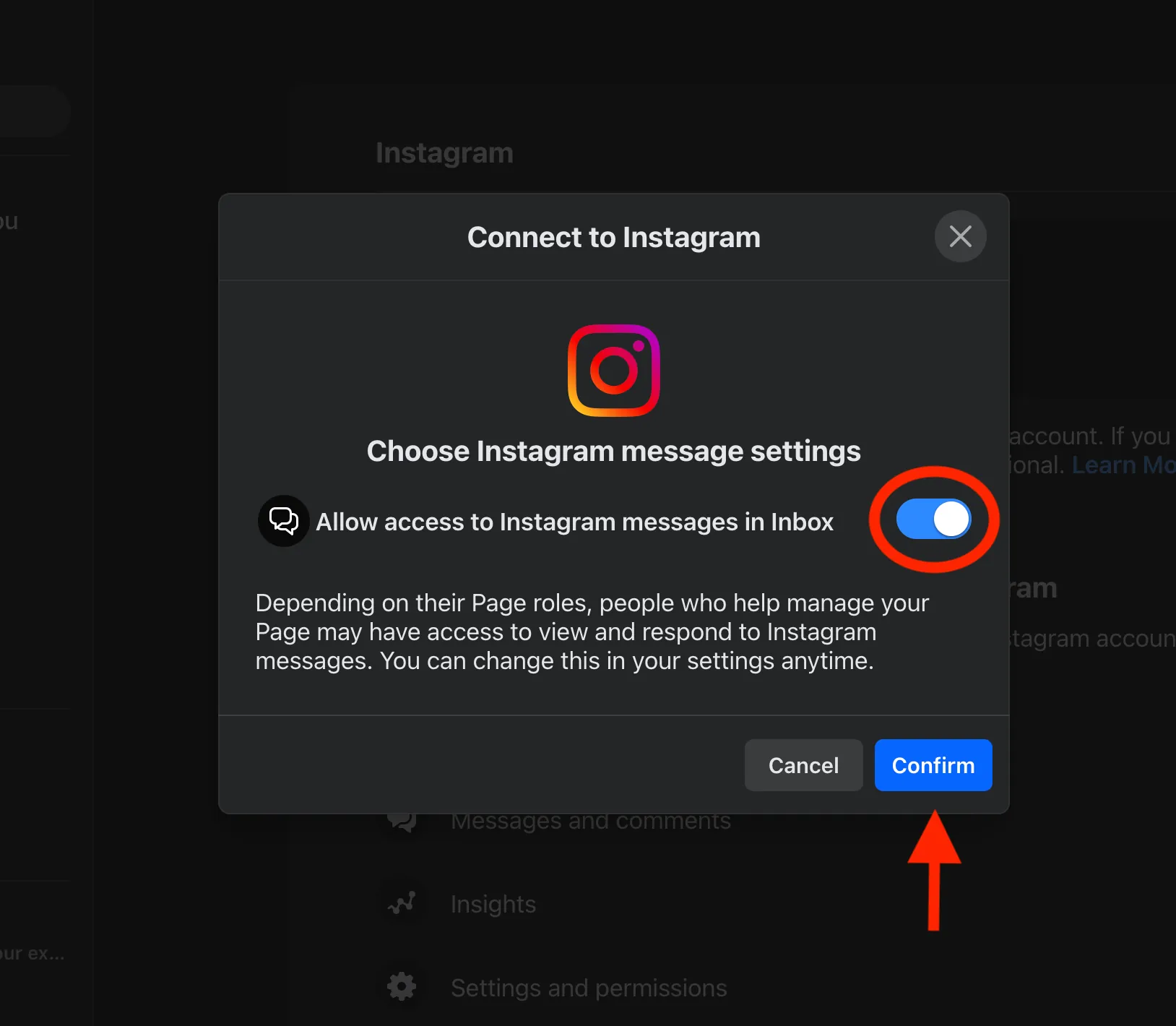
- 2. Allow access to Instagram direct messages and click on the "Confirm" button.
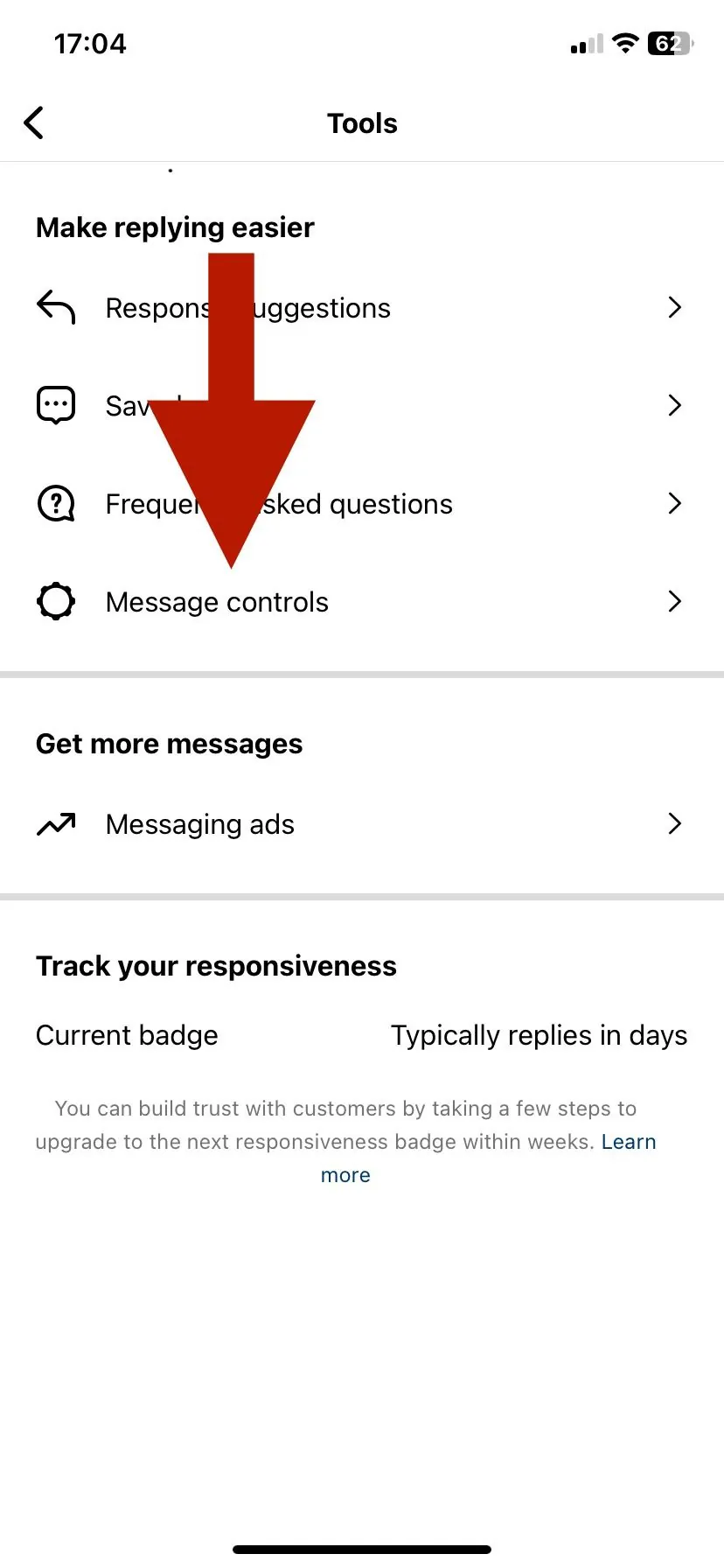
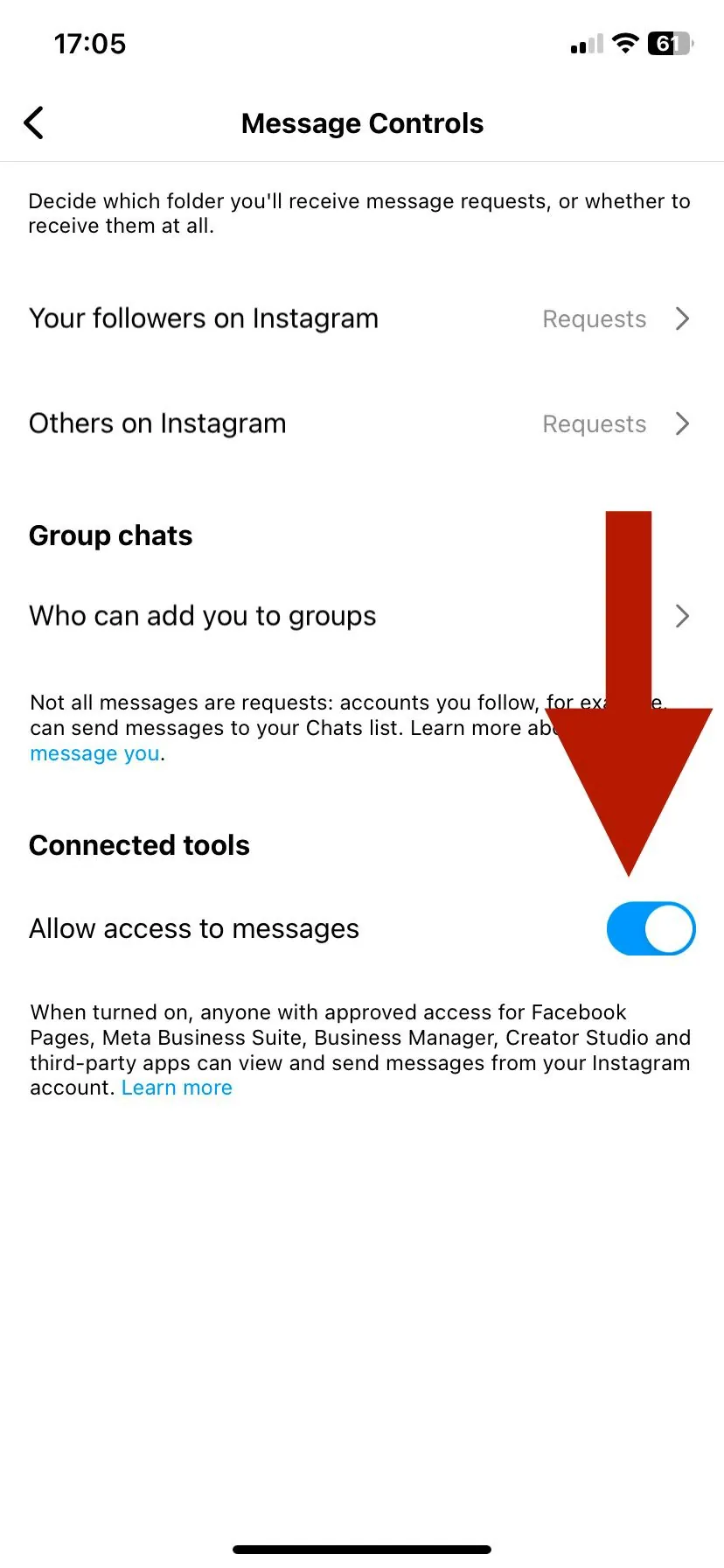
- 3. Log in to the Instagram account you've connected. 4. Check your account type. If you don't have a business account, you'll be prompted to switch to one. 5. Check access to messages in the Instagram mobile app.
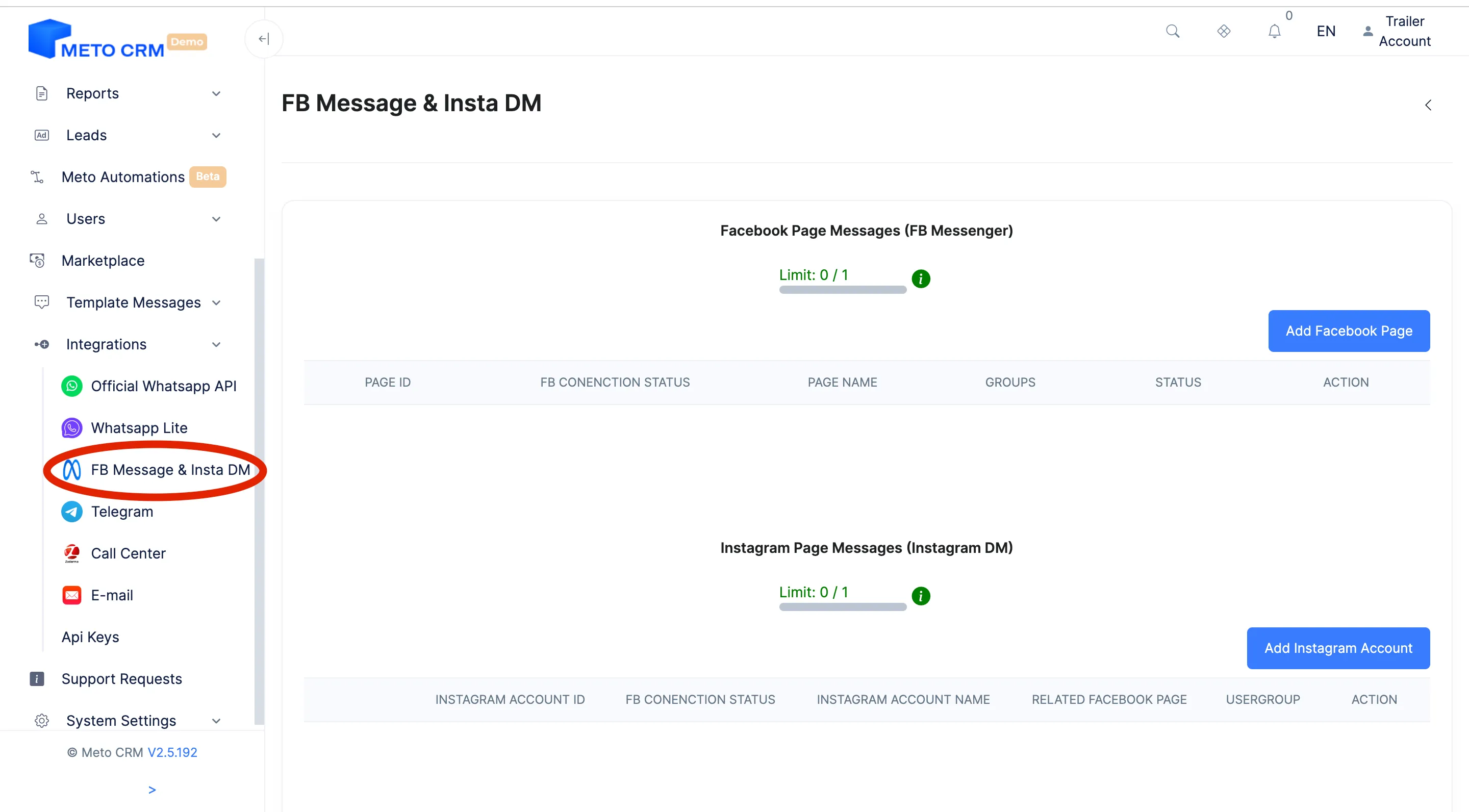
- After completing these steps, access the MetoCRM Panel and click on the Instagram DM Integration in the Integrations section of the left menu.Click on Integration > Instagram DM in the left main menu.
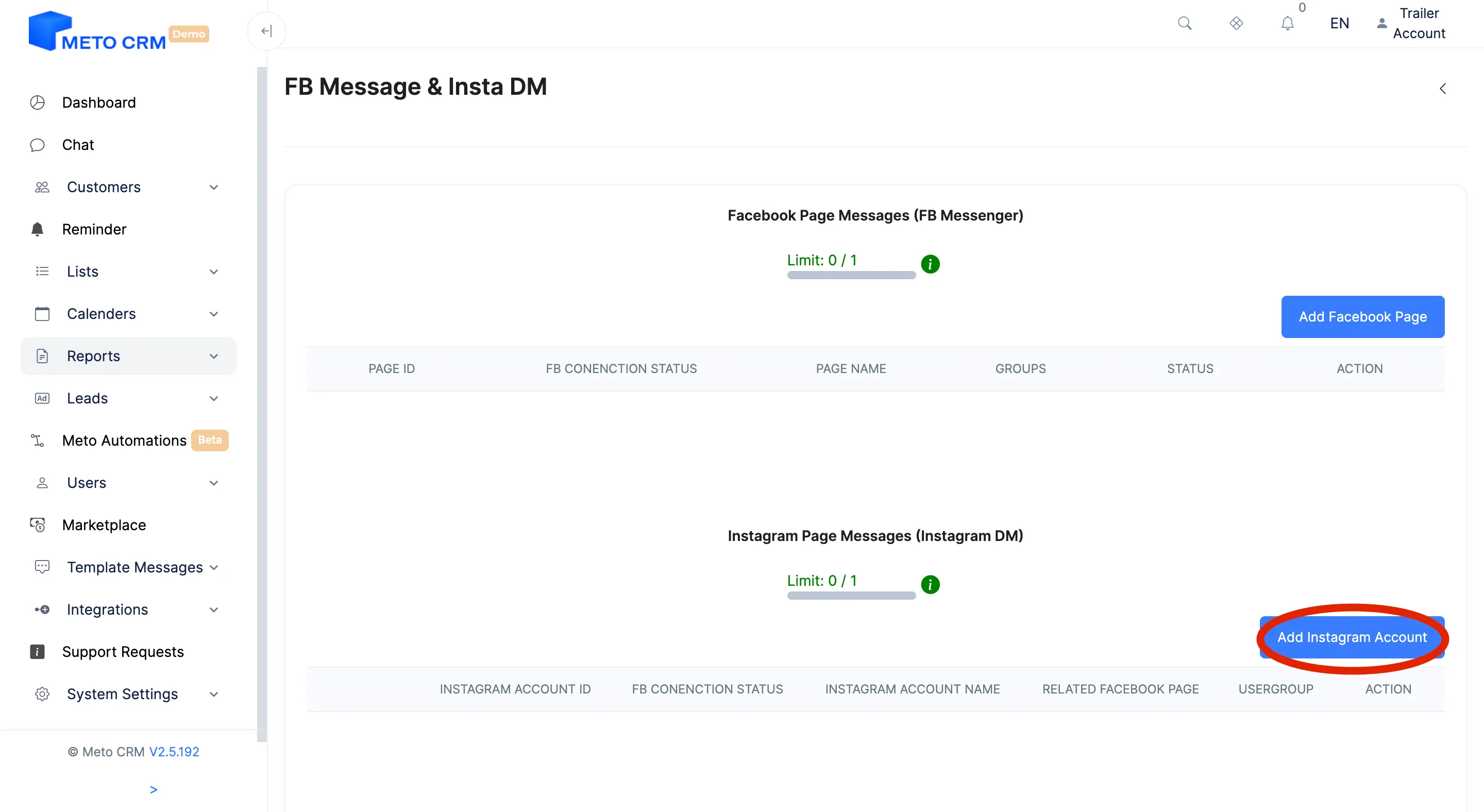
- In the Instagram Page Messages (Instagram DM) section, click on the Add Instagram Account button.
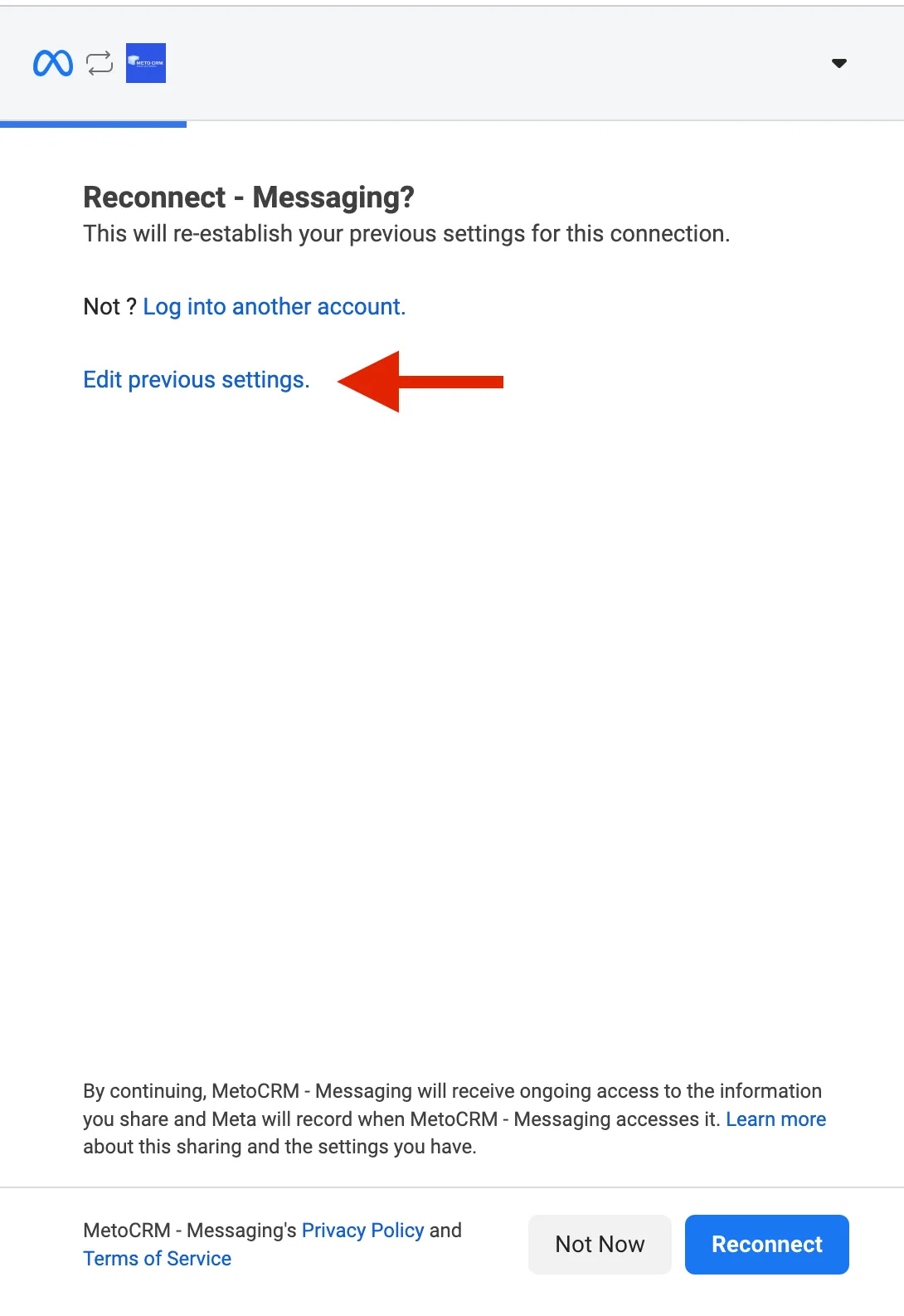
- You can choose your page selection by clicking on the Edit previous settings. button.
- Once completed, within the MetoCRM page, select the groups that you want to have access to your connected Instagram DM page from the area labeled "select group." Warning: After completing the steps, don't forget to test message reception and sending in the system.
Tips and common mistakes
- Careful If you do not pick the user groups that may work on this account, incoming chats stay unowned and notifications go to every sales manager.
- Careful Instagram delivers story replies in the same conversation stream as normal DMs, so one-word story reactions also land as leads. Use customer statuses to separate them.
- Tip Unlinking the Instagram account from the Facebook page stops the integration silently. Test the connection whenever page admin rights change.
Frequently asked questions
My account is not in the list.
Almost always one of three things: the account is not a business account, it is not linked to a Facebook page, or the Facebook user you signed in with is not an admin of that page. Check them in that order.
Is my old DM history imported?
No. The integration carries messages from the moment it is connected; earlier conversations stay in Instagram.
Can I tell ad-driven DMs apart?
Yes — define patient sources to separate organic DMs from ad-driven ones and report on them separately.